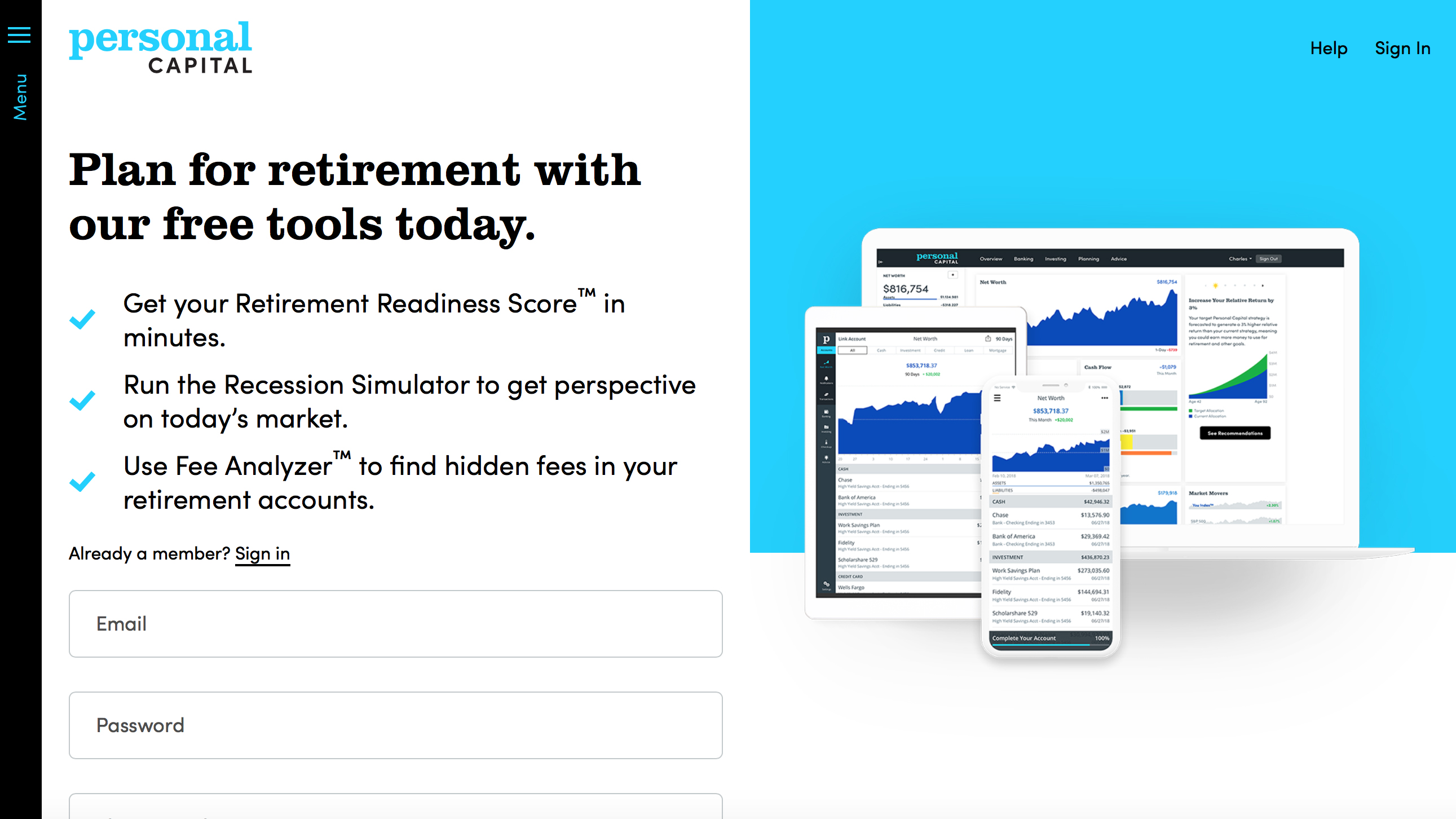
Personal Capital is a Fintech business that advises consumers on how best to invest their money and offers a portfolio of products that help to automate the process. Using their supporting app it’s possible to quickly consolidate many different accounts covering everything from investments through to retirement savings.
Having been around since 2009 the personal finance software is both free and easy to use. It’s essentially a combination of a finance-tracking tool that can help you keep tabs of spending via your bank accounts and credit cards while also incorporating tools for monitoring investments.
Personal Capital gets a further boost from the paid-for financial advisory services that it offers. It's also possible to use various Personal Capital tools, including a Retirement Readiness Score, Recession Simulator and a Fee Analyzer to complete your financial housekeeping.
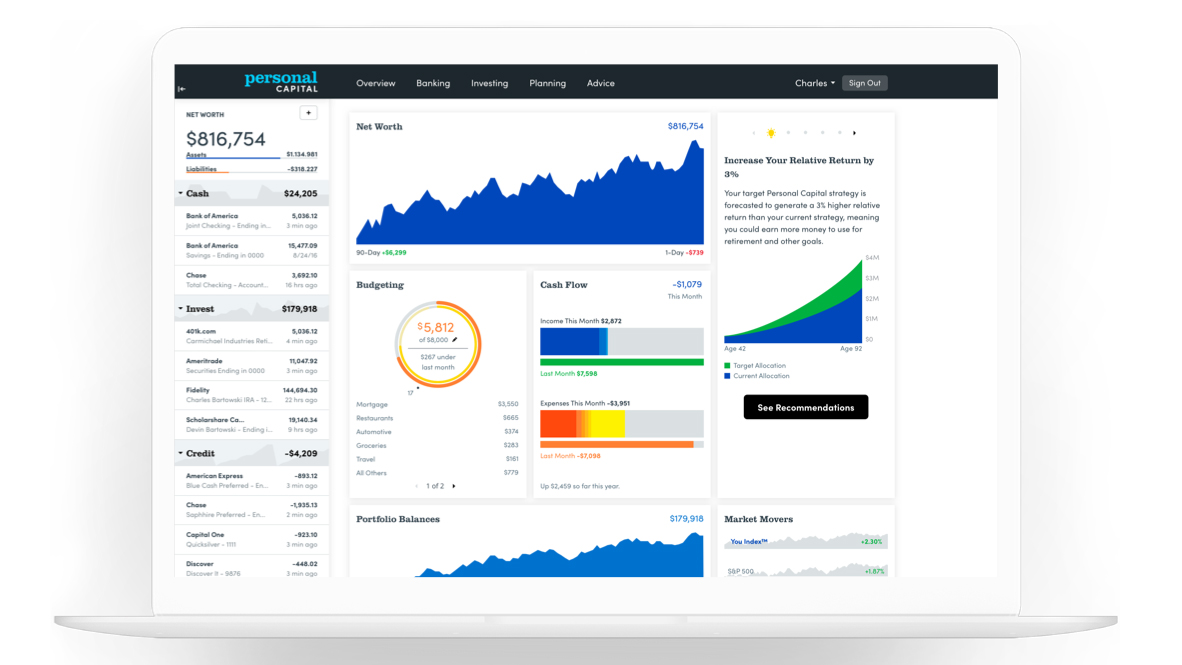
Personal Capital offers a full suite of finance management tools(Image credit: Personal Capital)
Pricing
There’s no charge for using the Personal Capital software, which means that you can exploit all of the tools within the app without spending anything at all. However, Personal Capital does offer advisory services relating to your finances and these do come with fees attached.
Personal Capital suggests calling one of their advisors to get an overview on what they might be able to offer you as they have packages that relate to investment services, wealth management and private client options.
The latter is based around a fully customized investment plan to help you get the most from your money. Therefore, with such a personalized service, there don't appear to be any off-the-shelf pricing guidelines.
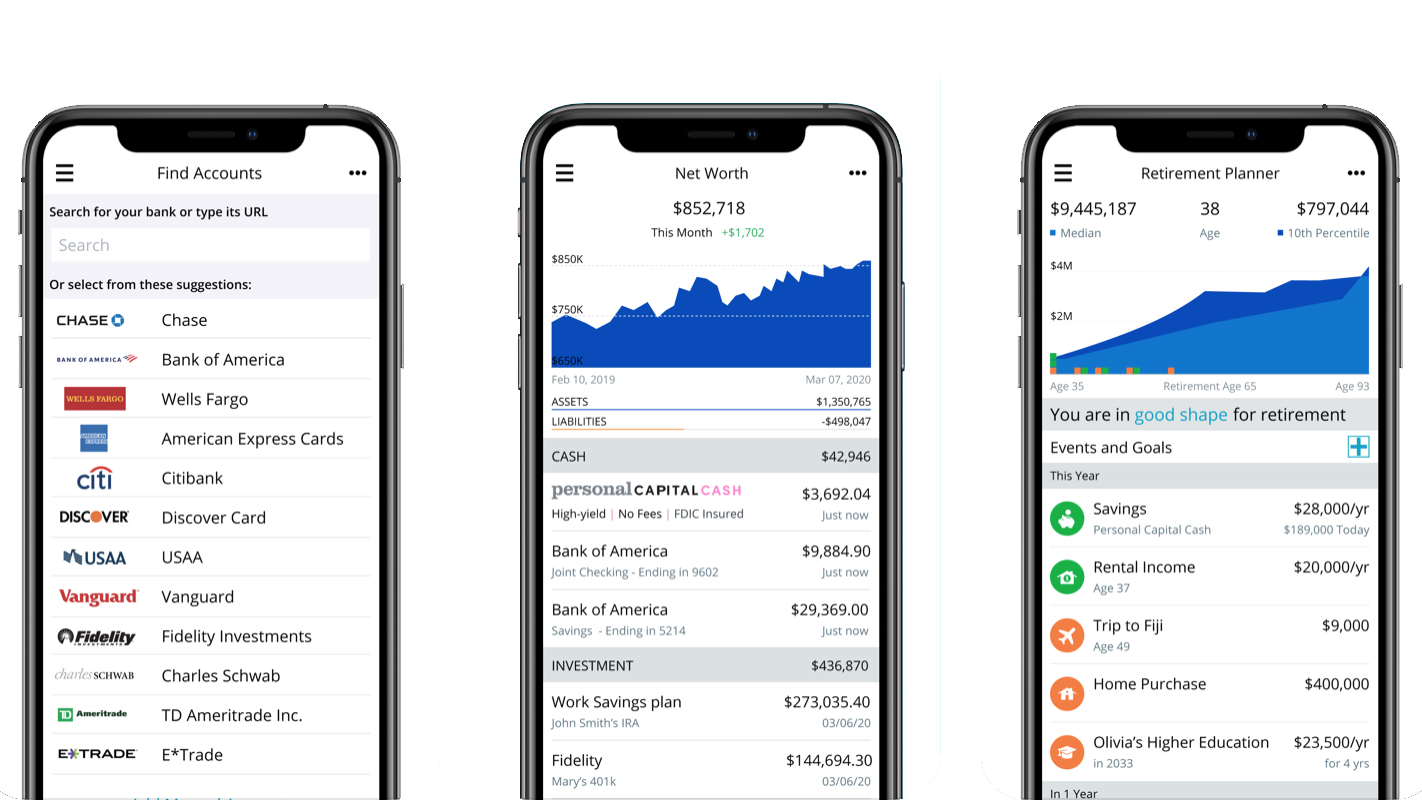
Personal Capital's app is a really useful addition for your smartphone(Image credit: Personal Capital)
Features
When it comes to features, Personal Capital has three core categories that showcase its best options. There’s wealth management, cash management and financial tools. Wealth management is the part of the business that lets you have a dialog with human members of staff, although the online service backs that up with lots of automated functionality.
Cash management lets you keep all of your money interests in one place and everything can be managed either via the web or using Personal Capital’s powerful app.
The Financial Tools aspect is particularly useful as it features a suite of applications and services that help you get a better overview of your money. For example, you’ll be able to quickly get stats on your net worth, carry out budgeting chores, keep track of your cash flow and even plan for your retirement.
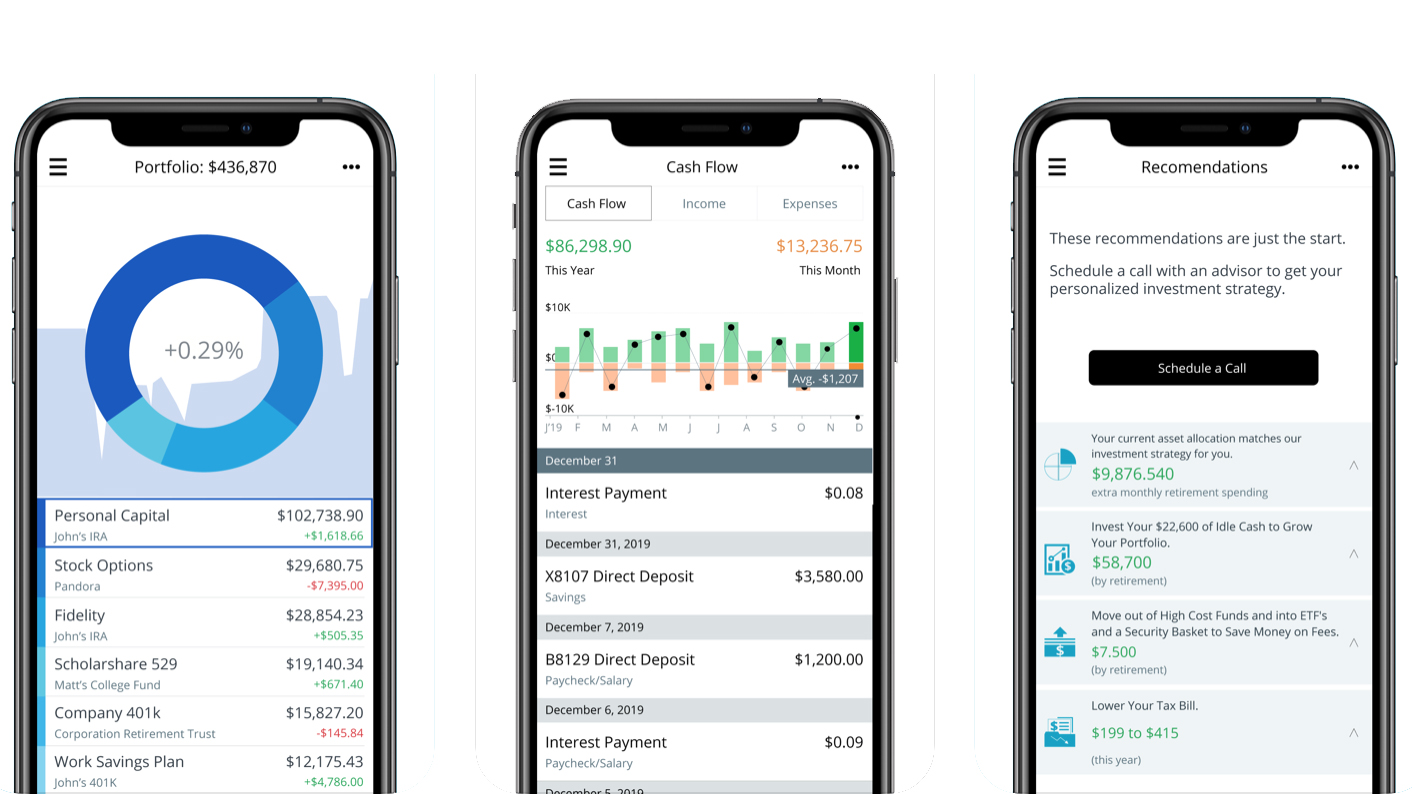
Personal Capital provides numerous tools for organizing your financial affairs(Image credit: Personal Capital)
Performance
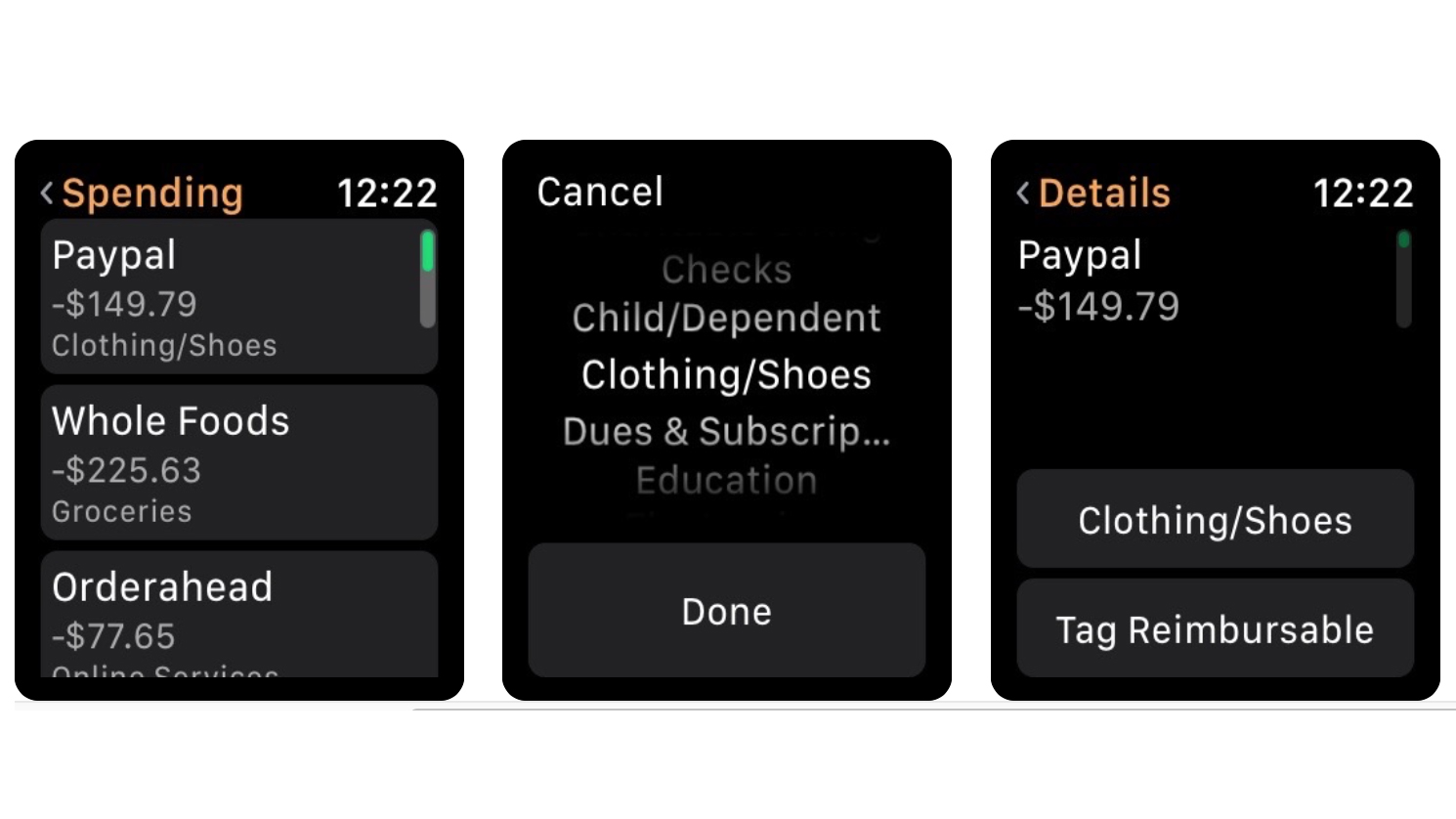
Personal Capital works on a variety of devices and turns in a solid performance if you install the app on the Apple Watch, which allows you to quickly check spending by a quick date search. The app is available for both iOS and Android devices, while the desktop edition of Personal Capital is just that; a website without quite the same level of pep as witnessed on the mobile editions.
The Apple Watch edition of the Personal Capital app is also noteworthy(Image credit: Personal Capital)
Ease of use
There are plenty of useful tools to be found inside the Personal Capital workspace and most, if not all, are easy to get the hang of. With a little bit of investigation you can organize all of your current or checking accounts, savings, mortgages and credit cards, along with retirement monies and investment accounts into one handy location.
Linking these to Personal Capital when you set up an account initially can be done within minutes. Getting started is similarly easy with just the need to sign up and create an account profile. Once you’ve got your log in sorted you’re basically in business.
Signing up for the free part of Personal Capital takes no time at all(Image credit: Personal Capital)
Support
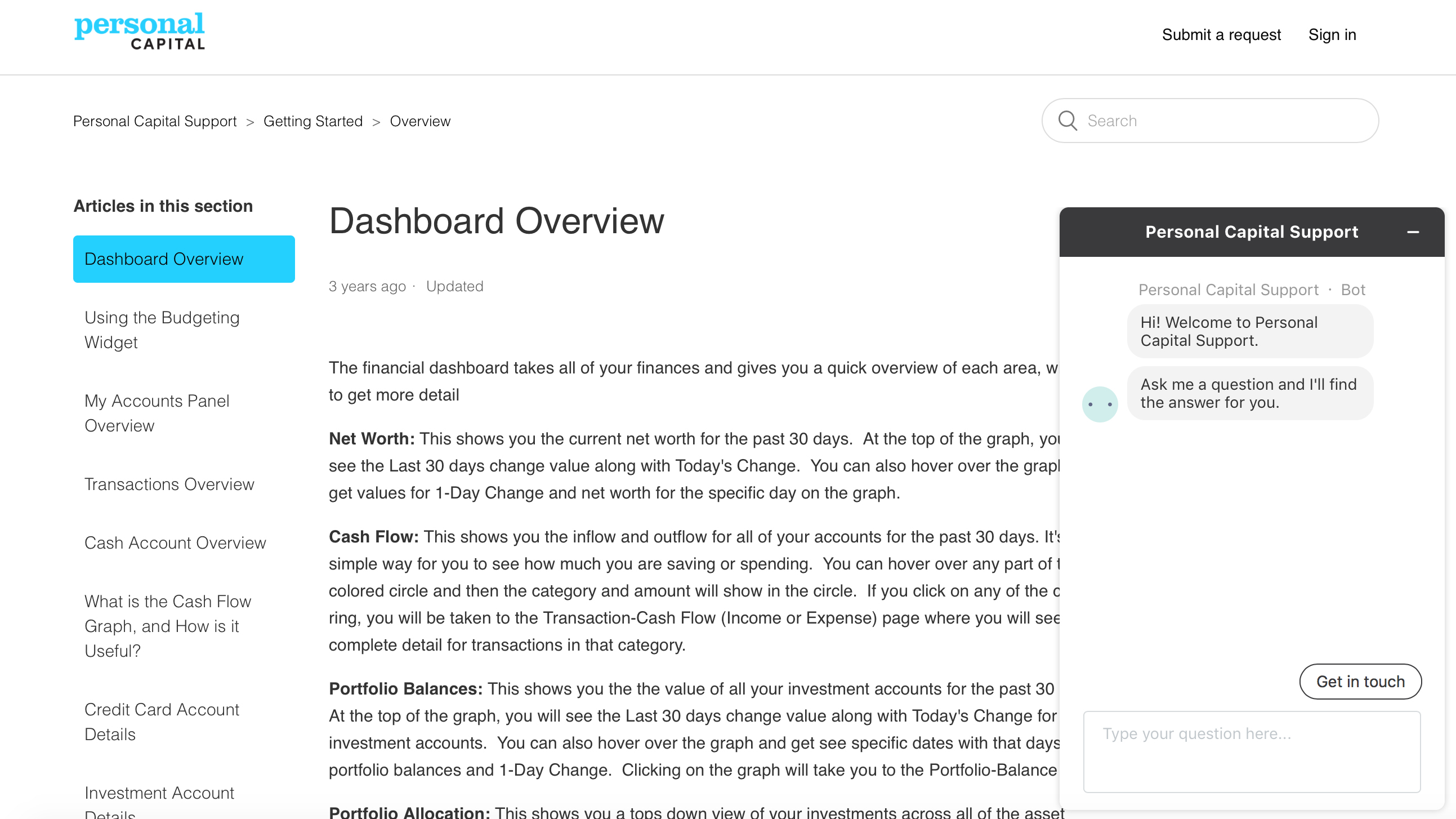
Support from Personal Capital is on hand in several different ways, with 24/7-phone availability and email being the main sources of contact. The website has a comprehensive range of help articles too, which cover all of the main areas of the software and associated services, plus a few other topics that might help you out when you’re using Personal Capital.
Another handy option for getting in touch is a chat tool, which appears on the bottom right-hand corner of the page in the browser edition. The Known Issues feature found within the support hub is a great timesaving tool that flags up any current problems that might be affecting the service.
Support for Personal Capital services includes an impressive help hub(Image credit: Personal Capital)
Final verdict
Personal Capital sells itself as the smart way to track and manage your personal finance and that’s essentially right on the money. Having the capacity to showcase all of your accounts, retirement funds and investments too within the confines of a web site and app combination makes it hugely useful.
The built-in accessories such as the Retirement Planner and interactive cash flow tools are practical additions. Meanwhile, the extra appeal is provided by having real advisors to talk things over with if you’ve got a good grasp of your finances but aren’t quite sure what to do next.
Granted, you’ll need to pay for the extra advice, but Personal Capital gets you up and running even if you just start out by investigating the free app.
VPN Shield is a Polish VPN service which offers a basic set of features for what looks like a good price.
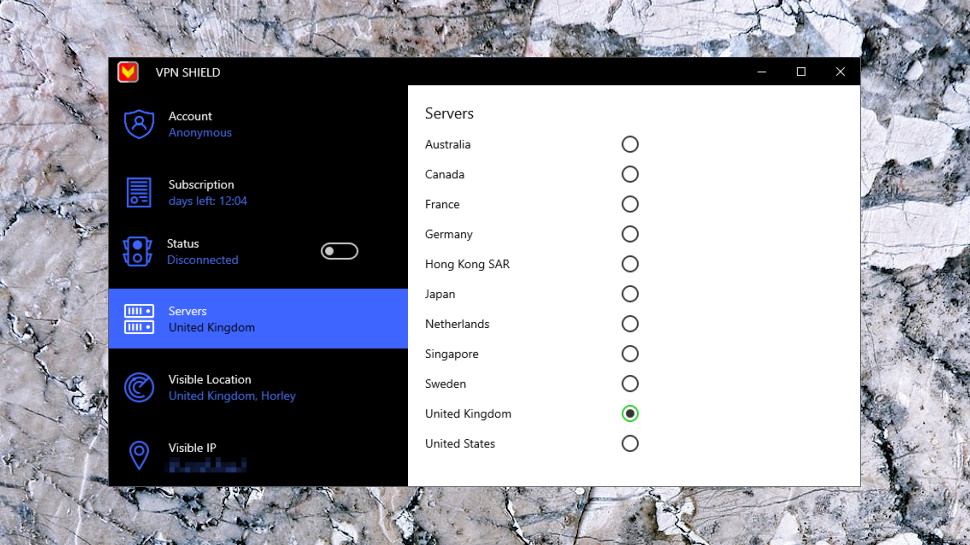
The company offers only 11 locations, but they're reasonably well spread across Australia, Canada, France, Germany, Hong Kong, Japan, Netherlands, Singapore, Sweden, UK and USA. (There are no city-level locations, you can choose by country only.)
VPN Shield has its own apps for Windows, Mac, iOS, Android, even Amazon Kindle, making it easy to set up, and you can connect up to five of these devices simultaneously.
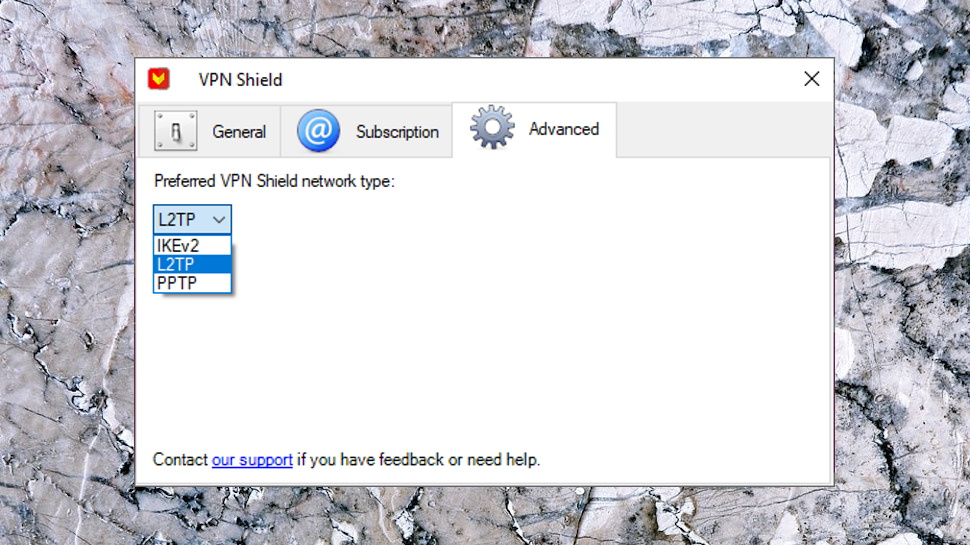
While this sounds sort-of normal, the underlying tech is weak. The Windows apps don't support OpenVPN, for instance. The desktop app can at least use L2TP and IKEv2, but the Windows 10 app only supports PPTP, so outdated and insecure that many VPNs dropped it long ago. There are no other interesting features on offer.
Payments are accepted via card and PayPal, and there's a 1-day free trial for everything but the Windows 7/8 desktop application (Windows 10 users can install an app from the Windows 10 Store, instead), extending to 3-days if you ‘like’ VPN Shield's page on Facebook.
VPN Shield claims to not collect data on its users' browsing activity online but there is a lot of session logging though(Image credit: Defendemus)
Privacy
VPN Shield's privacy policy gives you the good news first, explaining how the company 'is committed to your privacy and it does not collect or log traffic data or browsing activity from users connected to the VPN Shield Service.'
The policy goes on to list a lot of session logging, though: 'connection times to the VPN Shield Service, device type, choice of server location, technical details of the connection (connection result, protocol, ports, etc.), the total amount of data transferred per day, and the purchase history.'
'Technical details of the connection' is a very broad term, and could easily include incoming and outgoing IP addresses.
There's more vagueness in this clause: 'The VPN Shield Service may send diagnostic data to a third-party analytics provider for the purpose of identifying connection errors and possible bugs in the application.' What 'diagnostic data', what might that include? VPN Shield doesn't want to say.
This caught our eye, too: 'Defendemus does not as a matter of ordinary practice actively monitor user sessions for inappropriate behavior, nor does it maintain direct logs of customers' Internet activities. However, Defendemus reserves the right to investigate matters it considers to be violations of these Terms.'
VPN Shield doesn't 'matter of ordinary practice' monitor users, but it's hinting that it could; it doesn't 'maintain direct logs of customers' Internet activities', but maybe there are some indirect ones.
Reassured yet? No, we're not, either.
Apps
VPN Shield is one of very few providers to offer a native Windows 10 app, so we were keen to try it out. Installation was hassle-free, we quickly created an account from the app, and a countdown showed our 24-hour trial had begun.
Windows apps generally try to be a little more visually polished than their old-style cousins, but VPN Shield's offering is probably worse. There's no simple connect screen, no colorful list of flags, no world map, no clever graphical touches at all, just a sidebar, some status information and a few text panels of options.
This is the user interface of VPN Shield's Windows 10 app(Image credit: Defendemus)
The app has very little functionality. The location picker is a plain text list of countries, with no ping time, server load figures, Favorites system, 'Recent Connections' list or anything else. The app only supports the outdated and insecure PPTP protocol. And the Settings dialog is particularly sparse, with only an 'Autostart VPN on insecure wifi networks' checkbox and a panel explaining how to manually set up a connection on other PCs.
Connection times were slow at up to 10 seconds; we'd expect more like 2-4 for PPTP.
The sidebar has spaces to display your new location and IP, and a 'progress' indicator suggested the app is trying to do this, but it never worked, our location details were never displayed.
The app doesn't use notifications to tell you when it connects and disconnects. That's important, because it won't tell you if the VPN connection drops, either. When we forcibly closed our connection, the app continued to show its status as 'Connected.' If the app windows were minimized while you worked on something else, you'd have no clear way of knowing the VPN had died and your traffic was no longer protected.
Maybe VPN Shield will fix some of this, one day? Don't put your money on it; the Microsoft Store page dates this release at 22nd January 2017. VPN Shield hasn't even been maintaining the app, let alone improving it.
The regular Windows 7/8 desktop app has an even worse interface, forcing you to select countries by right clicking the system tray icon.
You can change protocols by going to VPN Shield's advanced settings tab(Image credit: Defendemus)
It does at least have better protocol support, including IKEv2 and L2TP as well as PPTP.
A 'reconnect automatically if connection is dropped' sounds like it should help if the VPN goes down, but our tests showed otherwise. When we forcibly closed our connection, the app tried to reconnect, but always failed. It updated its system tray icon to show this, but if the icon isn't visible, once again you'd have no way to know that your traffic was unprotected.
As the app is also dated 2017, like the Windows 10 edition, it doesn't look like these issues will be fixed in a hurry.
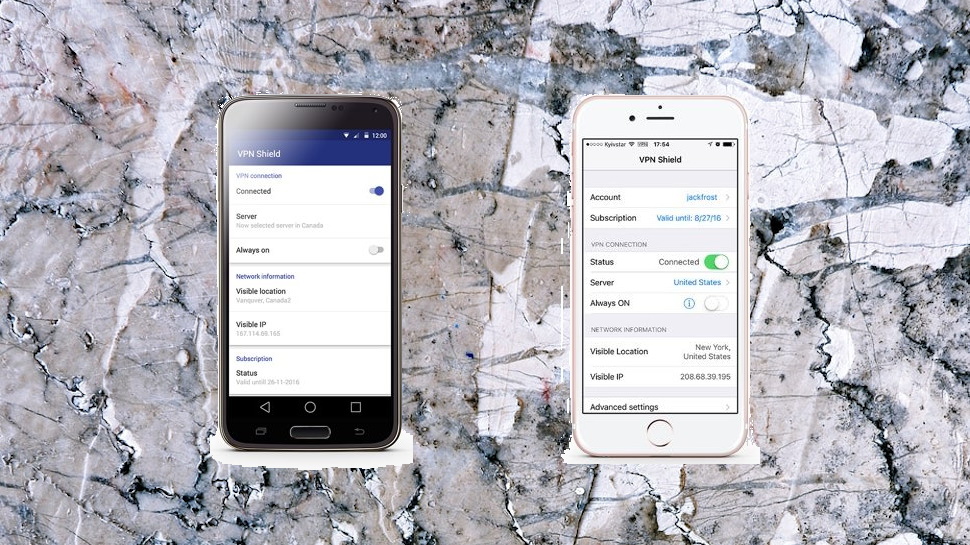
VPN Shield has mobile apps for Android and iOS(Image credit: Defendemus)
There's better news with the Android app; the last release was 'only' 10 months old at review time, positively fresh.
The interface looks and feels very similar to the Windows 10 app; choose one of the 11 locations from the list, tap a switch to connect, tap again to disconnect.
You do at least get a choice of protocol, though: OpenVPN or Cisco. Cisco? It could be this means some variation of Cisco's OpenConnect, but the app doesn't say, and there's no information on the support site. Still, we don't mind; it has OpenVPN, and that's a major improvement on PPTP.
A handful of settings enables connecting the VPN automatically when you access insecure, secured and/ or mobile networks, and reconnecting automatically if the VPN drops.
This is still relatively limited, presented in the most basic way, and not even close to the quality of most top VPN apps. But hey, it's still vastly better than VPN Shield's Windows offering, and for that, we have to be grateful.
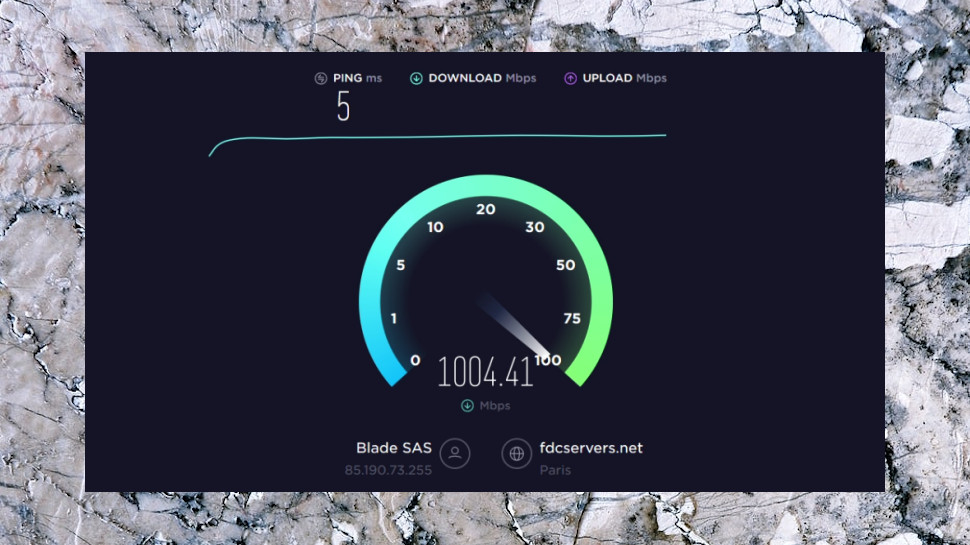
We use several different speed tests to determine the performance of each VPN we review(Image credit: Ookla)
Performance
VPN Shield's issues so far didn't leave us with much hope for our unblocking tests, and sure enough, the service couldn't get us into BBC iPlayer, US Netflix or Disney+.
There was one welcome success, though, when we managed to stream Amazon Prime Video content, and we found it worked with US YouTube and the less well defended sites, too.
The positive note continued with our speed tests. Whatever else we might say about VPN Shield, it proved a decent performer, hitting 66-67Mbps on our 75Mbps UK line, a very similar 60Mbps when connecting from the UK to near European locations, and a still reasonable 30Mbps on UK-US connections.
Unfortunately, the problems returned in our final privacy tests, with multiple sites showing a DNS leak with the Windows apps.
Final verdict
VPN Shield's Windows apps are horribly limited, with virtually no features, and even the few basic functions you get don't work quite as they should. We wouldn't recommend the service, even if it were free - go for something better like ExpressVPN.
The Nintendo Switch is a console that does a lot of things all at once. Like the motion controls of the Wii, or the glasses-free 3D of the Nintendo 3DS, or the experimental second screen of the Wii U, the Switch's innovative hybrid design has helped Nintendo to continue to blaze its own trail and do something different.
In the three years since its launch, the Nintendo Switch has become a true gaming hit—every holiday season it's one of the most popular devices around, and as social distancing rules have taken effect during the coronavirus pandemic it's become a firm favorite with gamers and non-gamers alike.
A large part of the Nintendo Switch's success is its hybrid design which has allowed it to bridge the gap between handheld console and home console in a totally unique way.
The way that the Nintendo Switch combines gaming on-the-go and gaming at home, making each a delight in its own way, is a credit to Nintendo's team. With its ever-growing library of exclusive first-party games and top-tier third-party titles, the Nintendo Switch is a better proposition than ever.
Whether you've already made your purchase or not, you have to agree that the Nintendo Switch is a fine idea, mixing together some of what made the Wii and Wii U appealing for gamers (even if developers had a harder time figuring out how to make the most of the latter device).
The Nintendo Switch brings with it a central idea that can benefit literally every game, not just the select few that can use motion control or a second screen. Who hasn't at one time wanted to pack up their console and take it with them?
Largely, the Switch delivers very well on this hybrid idea. You'll find it a solid, premium-feeling handheld, which can then flip into docked mode and work more or less as you'd expect a home console to, if and when needed.
At the same time, the Nintendo Switch certainly isn't perfect: most of the issues it has are a consequence of the way that it dares to try and do everything at once, and it doesn't always get the compromise right.
Those who aren't sold on its hybridity and just want that classic Nintendo handheld experience will no doubt be interest in the compact, lighter alternative: the Nintendo Switch Lite, which offers a solely handheld Switch gaming experience.
UPDATE: During the coronavirus lockdown, the Nintendo Switch has proved to be the most popular gaming console of choice in many countries. Or at least that seems to be the case given it's out of stock almost everywhere. If you want to get in on theAnimal Crossingcraze or you've heard thatBreath of the Wild 2is coming and you want to be ready, we're tracking all the latest Nintendo Switch deals and sales right here on TechRadar, but if you're struggling to find more stock you'll want to check out our guide on where to buy a Nintendo Switch.
What does it cost? $299.99 in the US, £279.99 in the UK, $469.95 in Australia, R6,999 in South Africa
Nintendo Switch: design
Three form factors: handheld, console (docked) and tabletop
Lots of accessories, which are at risk of being misplaced
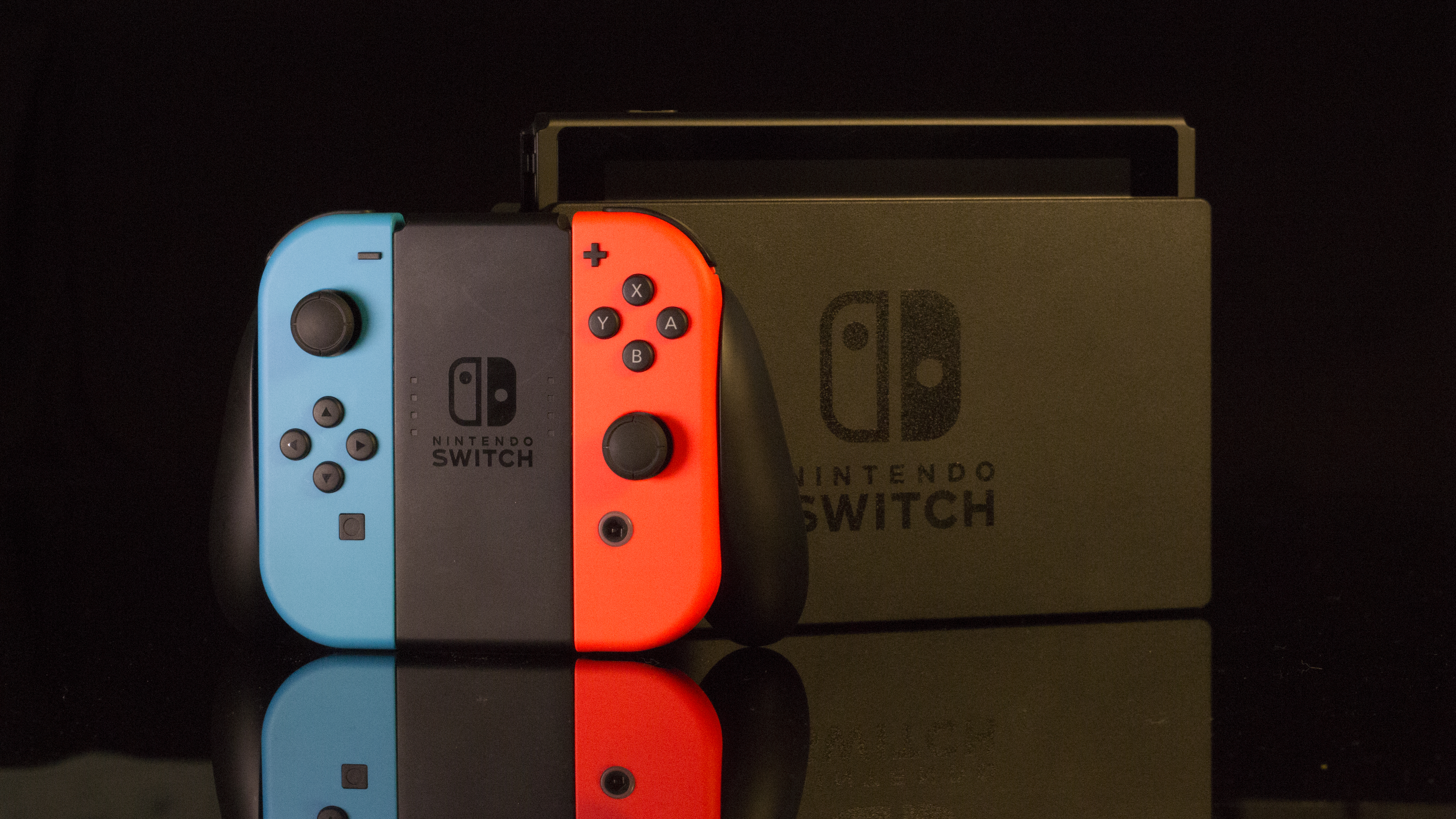
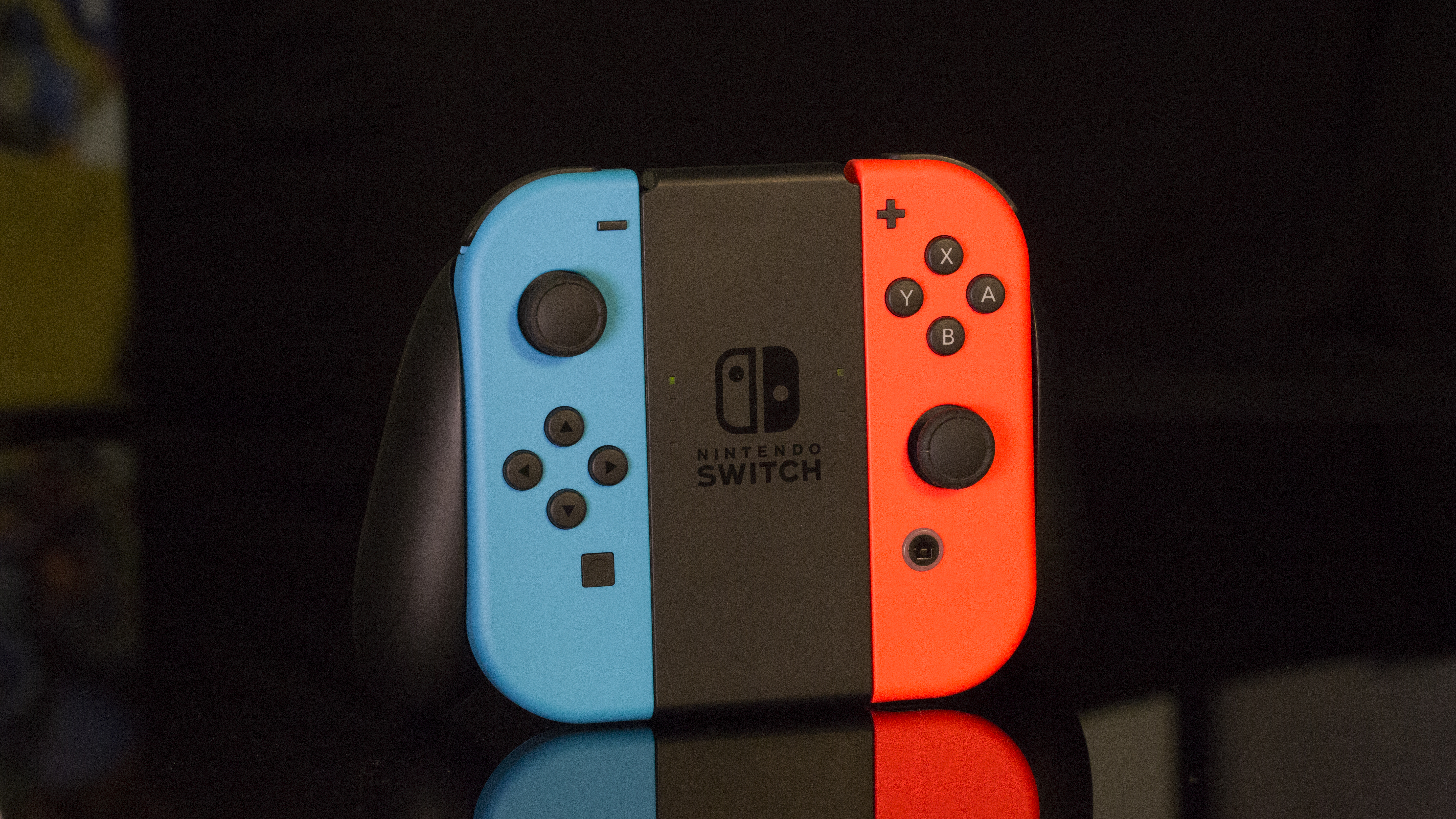
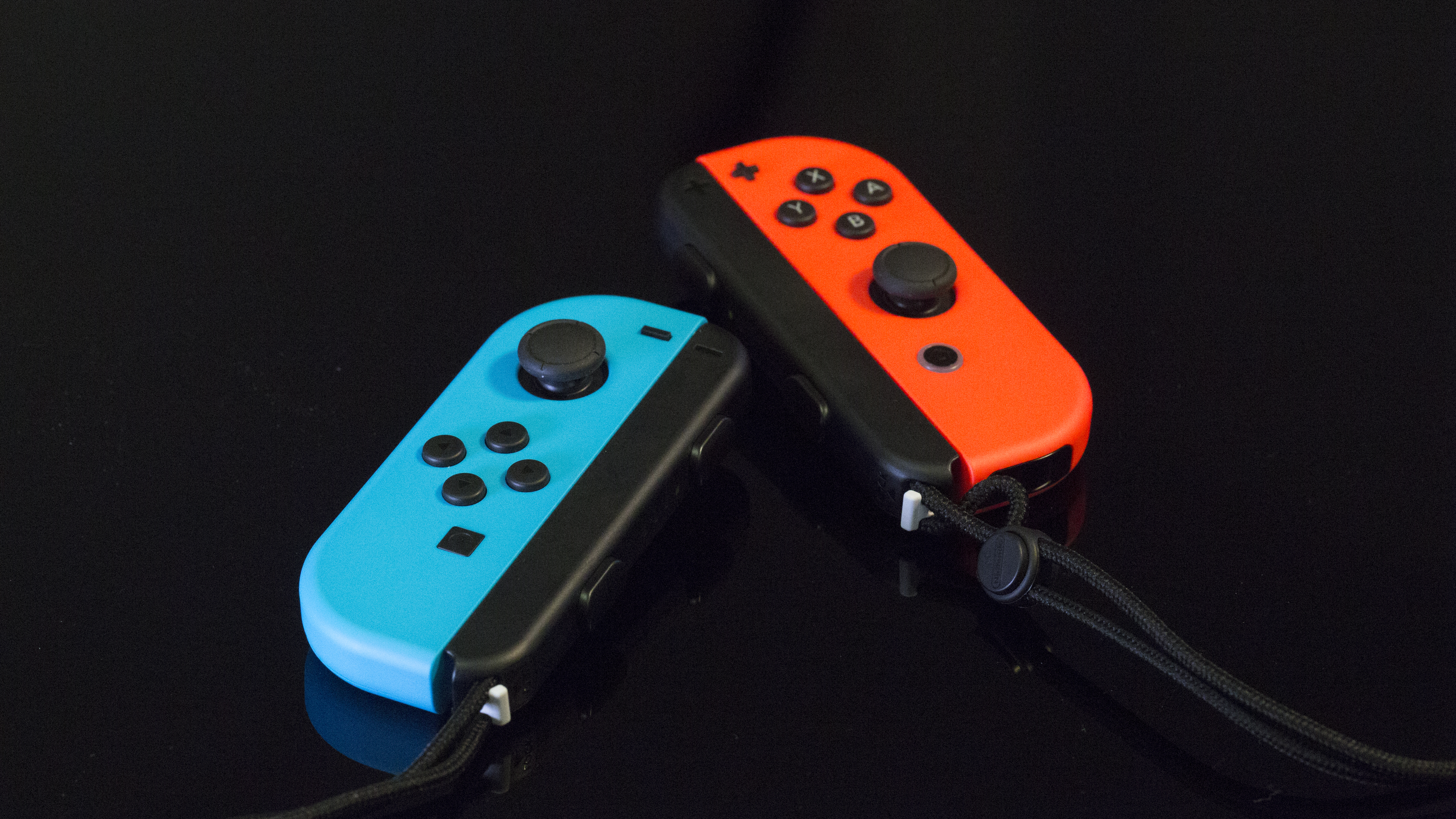
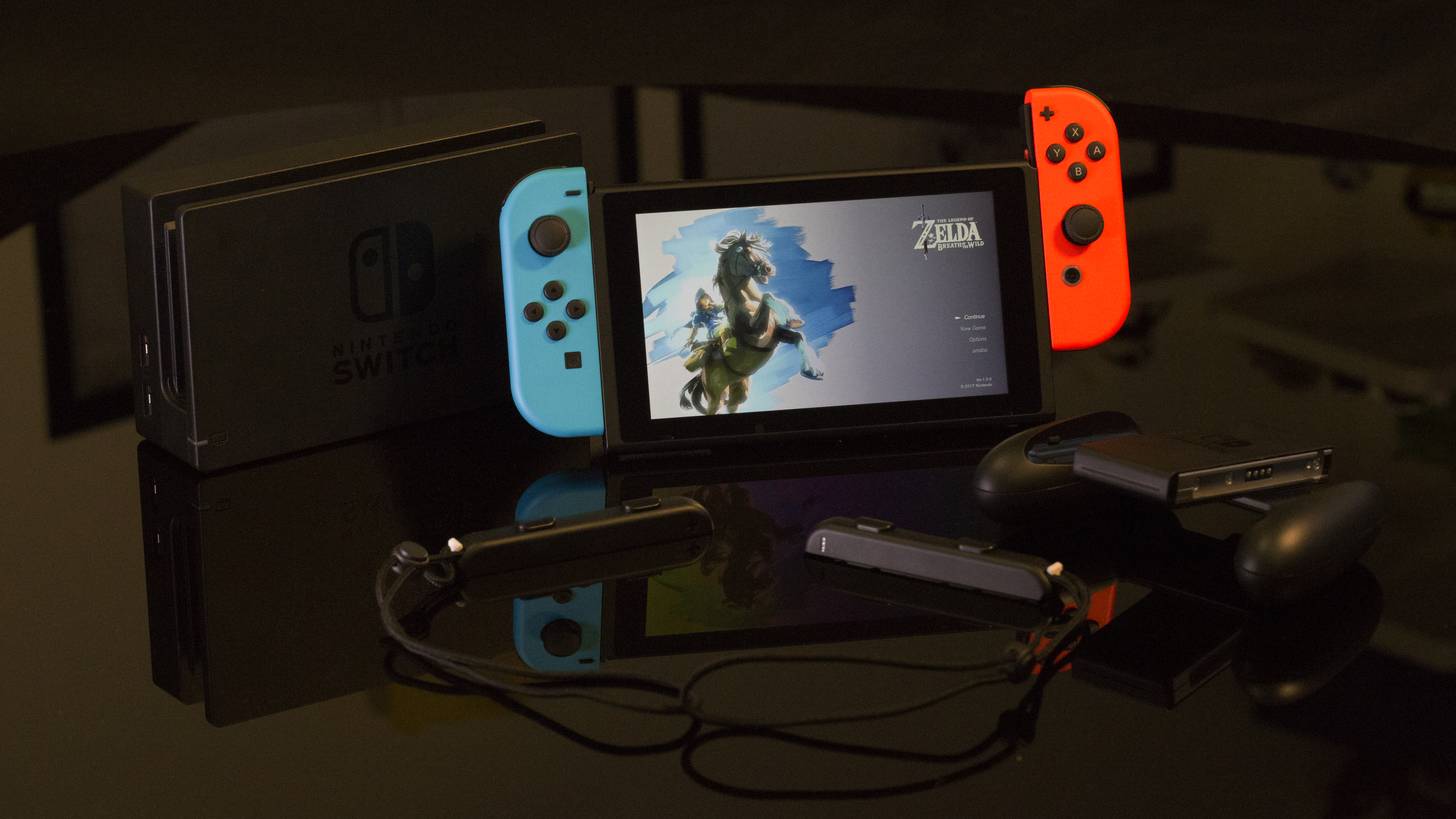
In the box with your shiny new Nintendo Switch you get the main console, two detachable controller sides (Joy-Cons), a grip which enables you to combine these controller portions into a more traditional gamepad, two straps which can make them into two individual controllers, and a dock for plugging the console into your television.
You also get a USB Type-C power cable (with a non-detachable power brick) and an HDMI cable for connecting the device to your TV.
If you think that sounds like a lot of accessories then you'd be right: we suspect a lot of Nintendo Switch owners will have misplaced at least one or two of these within the space of a few months.
We've taken to wrapping our Joy-Con straps around our Joy-Con grip just to keep everything together, but we'd love some way of attaching them to the console so they don't end up getting misplaced.
It's a pretty novel (not to mention somewhat complicated) setup, so it's worth delving into each of the different ways you can use the console.
Slightly cramped for the right hand due to right analogue stick
Split D-pad on the left side
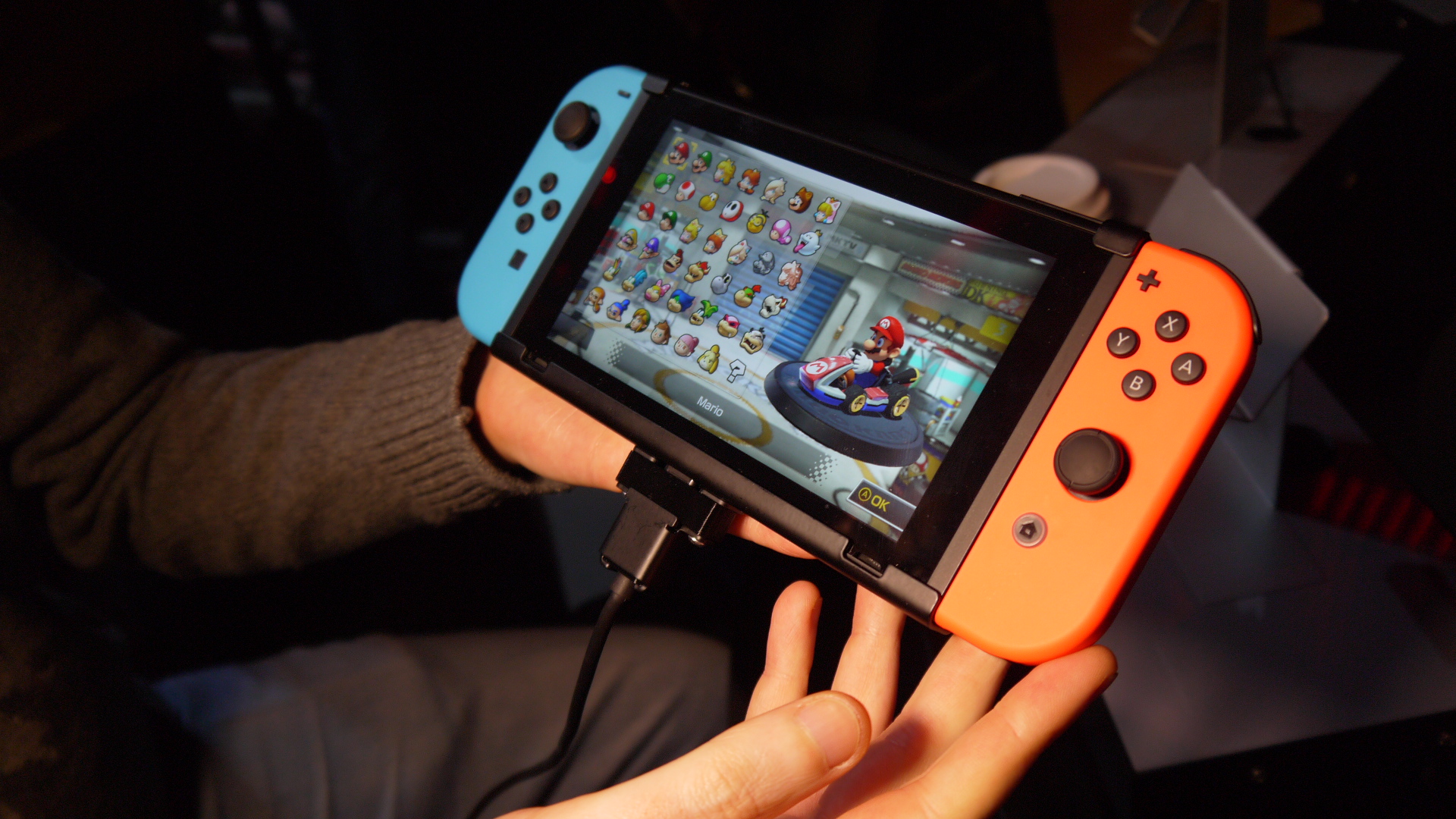
First in the Nintendo Switch modes is handheld mode, the form factor most like the hardware devices that came before the Switch.
In this configuration you attach the two controller portions (the Joy-Cons) to the left and right edges of the screen, then game much like you could do with the PlayStation Vita.
In fact, the size and shape of the console's analogue sticks make it feel a lot like a modern Vita, though it's not as solid because of the joints that exist between the Joy-Cons and the screen.
Along the top of the Nintendo Switch is a slot for game cartridges, a headphone jack (Bluetooth headphones/headsets are currently not supported), a volume rocker and a power button.
The bottom of the device is less busy. You've got the kickstand for tabletop mode (more on this later), which conceals a small microSD slot for expandable storage. Internal storage on the Nintendo Switch is limited to just 32GB, so if you're planning on downloading games rather than buying them, you'll want to invest in a Nintendo Switch SD card (capacities up to 2TB are theoretically supported).
Check out our unboxing video of the Nintendo Switch below.
The detachable Nintendo Switch Joy-Cons have a lot going on. The right hand side has the classic A, B, X, Y button configuration that Nintendo has used on and off since the SNES, an analogue stick (slightly awkwardly placed underneath the face buttons) and two shoulder buttons.
There's a small plus-shaped button acting as the equivalent of the Wii U's 'Start' button, and a home button for reaching the console's system-level menus.
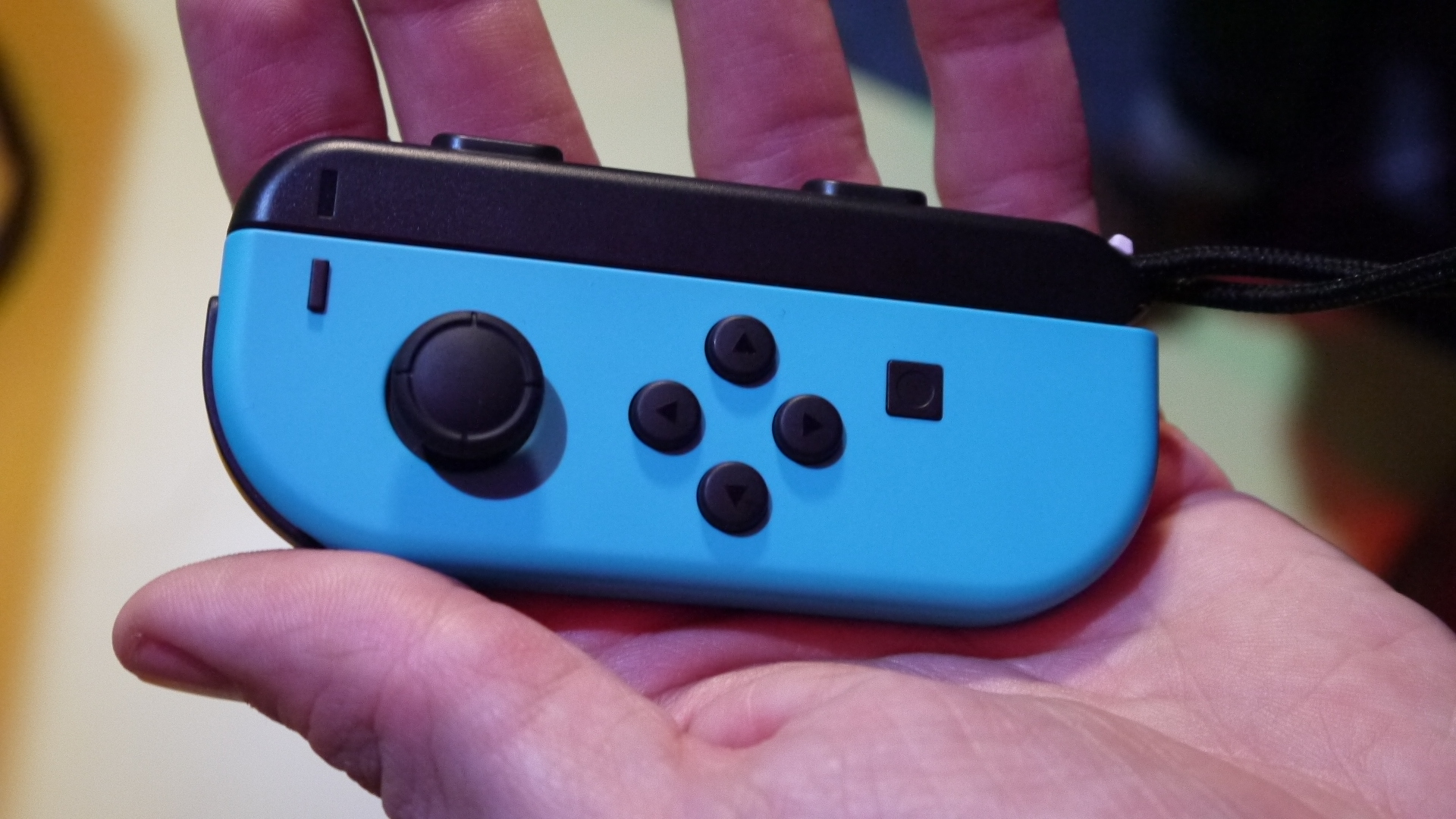
Across on the left Joy-Con it's a very similar story, as you would expect. You've got a minus button that acts as the console's 'Select' button, a share button for taking screenshots and video (in selected titles), an analogue stick, two shoulder-buttons, and the most un-Nintendo D-pad we've ever seen.
Instead of the classic cross D-pad Nintendo has utilized since the NES, the left Joy-Con instead has a set of four circular buttons that are identical in shape to the face buttons on the right Joy-Con.
This design decision, which appears very odd at first glance, is so the left Joy-Con can be used as an individual controller, with the D-pad acting as face-buttons in this configuration (again, more on this later).
Docking process is seamless, and can be done mid-game
The second Nintendo Switch form-factor is console mode. You place the main portion in the included dock, which connects the device to your television – you're then free to detach the Joy-Cons to control the Switch from a distance.
The way the console transfers the viewing experience from its own screen to the television is as seamless as it could possibly be, and you don't even have to pause your game. Everything happens in real time.
Detaching the Nintendo Switch Joy-Cons can be a little fiddly, admittedly: it's done by holding small buttons on their backs and sliding the controllers up.
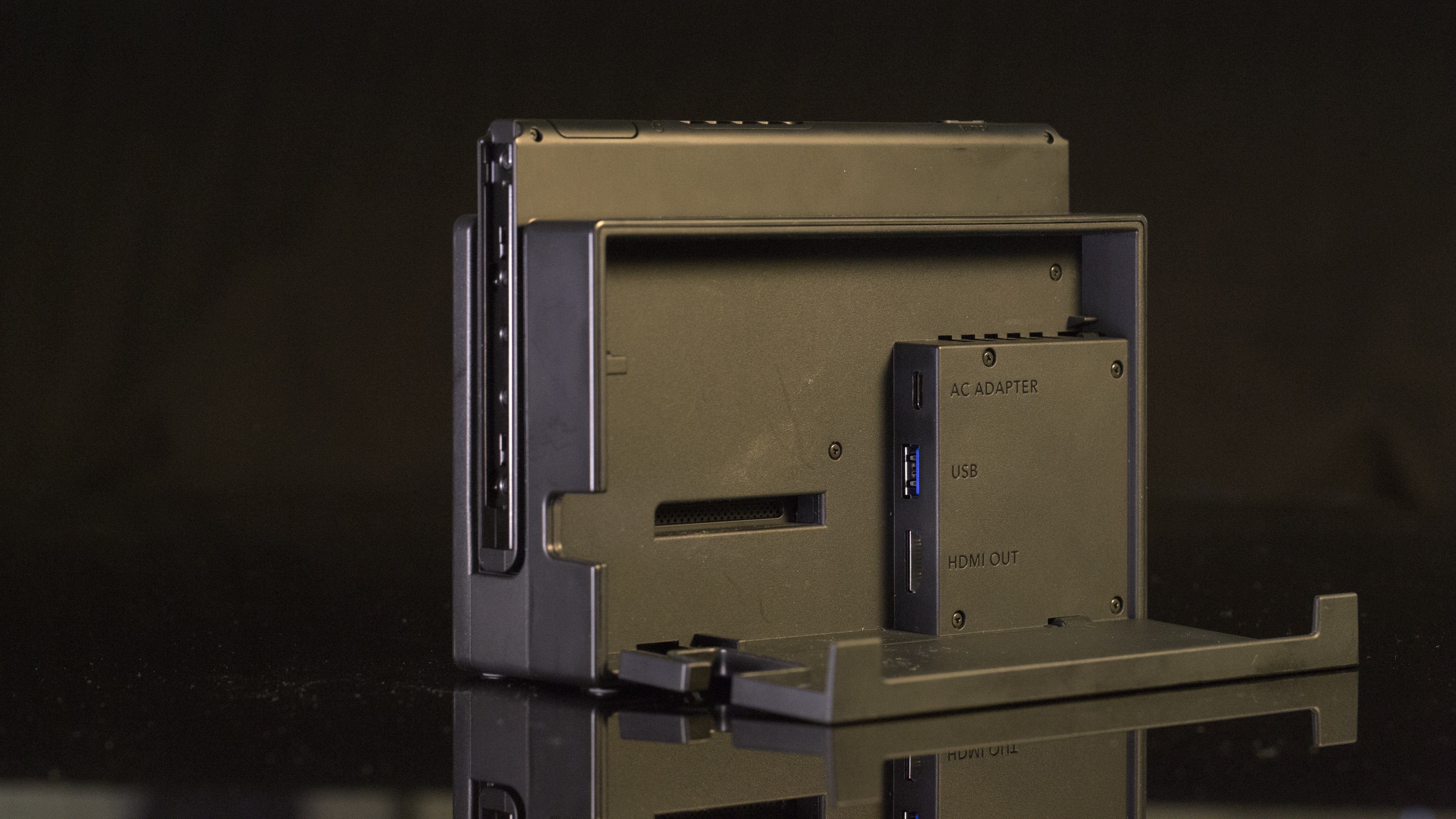
The TV dock is roughly the same size as the Nintendo Switch's middle portion. Around the back you've got a USB Type-C port to provide the console with power, an HDMI port to connect it to your television, and a USB Type-A port.
On the left-hand side of the console are a further two USB ports, mainly used for charging your Switch controllers as you play wirelessly (more on this in a moment).
If you want to use the Nintendo Switch with multiple televisions throughout your home, you can buy additional docks, which make it easy to transition from one screen to another, plug-and-play style.
Nintendo Switch review (Image credit: TechRadar)
Nintendo Switch: tabletop mode
Screen can also be detached and propped up on a table
Great for two-player gaming, but four players on the console's small screen is a push
The final form factor for the Nintendo Switch is what Nintendo calls 'tabletop mode'. Using the kickstand that's attached to the back of the screen, you can prop the console up on a table and then detach the Joy-Cons for some semi-portable gaming.
In theory, this is perfect for long journeys on public transport where you have a tray table to place the console on; in reality, we found it a bit of a mixed experience.
We do like being able to use the Nintendo Switch Joy-Cons in the grip rather than having them attached to the console – the grip provides just enough extra plastic to make the controllers much more comfortable in the hands, and having the console a little further away means your sitting posture can be a lot more natural.
Tabletop mode is also great for multiplayer on the Switch. Detaching both Joy-Cons to allow two people to play against one another is a pleasure: it makes the Nintendo Switch perfect for whipping out at small gatherings where you'll already have everything you need for a multiplayer session.
However, there are a couple of issues that prevent the console from fully capitalizing on this rather intriguing tabletop mode.
First is the kickstand. Although it's rubberized, which means that the Switch doesn't slide around, it only supports the console at a single height: if your tray table is a little closer to you then there's no ability to prop the console up so that it's facing you more directly, and instead you'll be stuck with the screen pointing at your chest rather than your face.
Second is the Nintendo Switch charging port, which is inaccessible when you're using it in tabletop mode. During a recent train journey this meant that although we were in the perfect situation to use tabletop mode, we ended up using the console as a handheld so that we could charge it up.
Finally, for multiplayer gaming the NIntendo Switch screen is just a little too small for more than two players. Four-player Mario Kart is almost impossible due to the size and resolution of the display (we found ourselves putting our faces inches from the console to be able to make out distant details).
Overall, tabletop mode on the Switch feels better suited to short periods of use, which is a shame when it feels like it should be the de facto way to use the Nintendo Switch over long periods.
Console needs to be told whether Joy-Cons are being used together or separately
Setting up a brand new Nintendo Switch is refreshingly simple, you'll be pleased to learn.
If you're using the device as a handheld, simply attach the Joy-Cons, press the power button, and... er... that's it.
If you want to play Nintendo Switch games on your TV, you need to plug the dock into the TV via HDMI, then hook it up to some power via the included USB Type-C power lead. The console then easily slips into the dock.
Pairing the controllers is a little more complicated than with other devices because of the fact that they can either be paired or used separately. The way you tell the Switch which controllers you're using is to press both the L and R shoulder buttons in whichever configuration you've opted for.
Nintendo Switch review (Image credit: TechRadar)
So if you're using the Joy-Cons individually, you press the buttons on the Joy-Con straps to indicate that this is the case.
On the software side, the console asks for the standard combination of Wi-Fi details and user account set-up info. These details are a doddle to input on the console's touchscreen – the keyboard isn't quite as good as a phone's but it's much better than a typical console experience.
After that's taken care, games can be played off a cartridge or the Nintendo Switch's internal memory.
Let's not forget Nintendo has designed some absolutely classic controllers in its time – the original NES controller wrote the blueprint that console controllers have followed ever since, the N64 was the first console to have a controller with an analogue thumb-stick, and the Wii (for better or for worse) introduced the world to motion-controlled gaming.
With the Nintendo Switch, Nintendo has attempted the seemingly impossible in creating a system that's simultaneously one whole controller and two separate controllers, while also functioning as controllers in the handheld mode.
Nintendo Switch Joy-Cons: general impressions
By trying to do many things at once the Joy-Cons don't do anything perfectly
HD Rumble tech is impressive – but developers need to find a use for it
Ultimately these multiple roles mean the Nintendo Switch controllers end up being jacks of all trades and masters of none. None of the controller configurations are unusable, but we've used more comfortable controllers in the past that have had the advantage of only having to do one job very well.
The left Joy-Con's D-pad sums up the problem in a nutshell: rather than going for the cross D-pad that Nintendo has been using since the NES, the D-pad is instead split into four separate buttons to allow them to be used as face buttons when the Joy-Con is utilized as an individual controller.
The result is a D-pad that you're not going to want to use for classic games that rely on it a lot, such as Street Fighter.
Nintendo Switch review (Image credit: TechRadar)
The Nintendo Switch analogue sticks also feel like a compromise between form factors: too small for a traditional gamepad, yet big enough that we wouldn't want to throw the device too carelessly into a rucksack for fear of one of them snapping off.
You do have the option of buying separate accessories which don't have these issues (the Pro controller being a prime example), but in this review we're going to limit ourselves to talking about what you get in the box, since this is the primary way most people are going to be using the console – at least initially.
One part of the Switch controllers that we absolutely love are the face buttons. They're a little smaller than those on other consoles, but they've got a really satisfying click to them that we really appreciate.
The Joy-Cons feature an interesting form of rumble, which Nintendo has dubbed 'HD Rumble'. From what we've seen so far this isn’t just a marketing gimmick – it genuinely feels like a step forward for rumble tech.
One mini-game in the launch game 1-2 Switch has you counting the number of (virtual) balls inside a Joy-Con, and it's impressive just how well the HD Rumble creates the impression of there being real balls inside the controller.
Another mini-game impresses by tasking you to crack a safe by feeling the click of a dial as you turn it.
Both mini-games have us excited for the possibilities of HD Rumble in the future, but the success of the technology depends on the ability of Switch developers to make use of it – the potential is there, but we're still waiting for a killer app.
Nintendo made practical use of the feature in the Switch 3.0 OS update – now if you've lost one Joy-Con but the two are still paired, you can make the other vibrate to make it easier to find.
There were initially reports of connectivity issues with the left Joy-Con on the Nintendo Switch, something which we experienced ourselves. The problem is that sometimes during gameplay, the left Joy-Con's connection just drops out completely.
Fortunately, Nintendo is now offering a repair service for any broken Joy-Cons, so we'd advise sending yours in if you experience connectivity issues of any kind.
Nintendo Switch review (Image credit: TechRadar)
Nintendo Switch Joy-Cons: handheld
Handheld controls are a little cramped and awkward
Right analogue stick in particular is uncomfortable
It's in the handheld configuration that the Nintendo Switch controller's deficiencies are most apparent. The main problem is the low positioning of the right analogue stick, which we found very difficult to operate comfortably.
Either you hold the Switch precariously on the tips of your fingers in order to operate the analogue stick with the tip of your right thumb, or you hold the device more tightly and operate the thumbstick with the inside of your thumb knuckle, which feels rather cramped and awkward.
Looking back, the Vita layout is very similar, but the increased weight of the Nintendo Switch makes it much more difficult to comfortably hold on the fingertips.
It's a mode that we think works in small bursts, but it's not comfortable over longer periods. If you're gaming on Nintendo Switch on a flight, for example, we'd expect most people to opt to put the console in tabletop mode on the tray table in front of them.
We are, however, fans of the shoulder buttons, which manage to feel big enough without impacting on the depth of the console too much.
Nintendo Switch review (Image credit: TechRadar)
Nintendo Switch Joy-Cons: grip
Analogue sticks smaller than traditional controllers
Overall the controller is comfortable and nice to use
Clicky face buttons are especially appealing
The main way we expect people will play with the console when it's docked is by combining the two Joy-Cons together into a single controller.
This is done by using the included Joy-Con grip, which the two sides slide neatly into.
We were initially concerned when it was revealed that the Joy-Con grip that comes with the Nintendo Switch is unable to charge the two controllers – this means that if you want to charge your controllers you'll need to plug them back into the console's screen.
The Joy-Cons' battery life is rated at 20 hours, so we'd be surprised if they ever run out of battery mid-game; at the same time, having to dismantle our controllers after every play session is somewhat annoying.
A grip that charges the Joy-Cons is available, but this is sold separately.
Aside from charging concerns, we were pleasantly surprised with how the Nintendo Switch controller feels when assembled in the grip.
Although the analogue sticks are a little small, we found them perfectly usable for lengthy Breath of the Wild play sessions, and the addition of a little more plastic massively helps the ergonomics of the controller as a whole.
It's just a shame that the controller doesn’t have a proper D-pad on its left side: as it stands you're going to need to buy the Pro controller if you want that traditional Nintendo controller feel on the Nintendo Switch.
Nintendo Switch review (Image credit: TechRadar)
Nintendo Switch Joy-Cons: individual controllers
Oddly positioned buttons due to having to work as a combined controller
A nice option to have if you want a friend to join you for multiplayer
Split the Nintendo Switch Joy-Cons apart and they can work as individual controllers complete with an analogue stick each, four face buttons, and (if you attach a Joy-Con strap) two shoulder buttons.
It's this configuration that feels like it's required the biggest compromise in Nintendo's pursuit to make them work in multiple ways.
On the left Joy-Con the D-pad/face buttons are in the centre of the controller, which means your right thumb is uncomfortably far over, and the same is true of the analogue stick on the right Joy-Con.
The asymmetrical configuration also makes describing controls to another person very difficult, since the control buttons have different names between the two Joy-Cons.
The lack of hand grips is also prone to causing cramp if you use the controllers over long periods, especially if the game you're playing relies heavily on the Joy-Con's shoulder buttons.
As a final point, the shoulder buttons can feel a little stiff to press, which adds to the discomfort of using them over long periods.
So while this configuration might work in a pinch if you want to let a friend join you for a couple of rounds of Mario Kart, we don't see it being something you'll want to spend a lot of time with.
Additionally, you'll need to remember to carry the Joy-Con straps with your Nintendo Switch if you want to use the shoulder buttons, which will be an annoying inconvenience for most people.
Alternatively, you can use the two Joy-Cons as a single controller while split apart. Here they function identically to when they’re assembled into the Joy-Con grip, although we found it much less comfortable because of how cramped the right analogue stick ends up feeling.
Again, this feels like a compromise, this time for when you've forgotten your Joy-Con grip. We can't see ourselves using this configuration much at all unless a motion-controlled game specifically calls for it in the future.
Nintendo was a little late to the online party. While Microsoft stormed ahead with its Xbox Live service and Sony got to grips with the PlayStation Network, Nintendo was languishing with inconvenient friend codes and limited voice chat options.
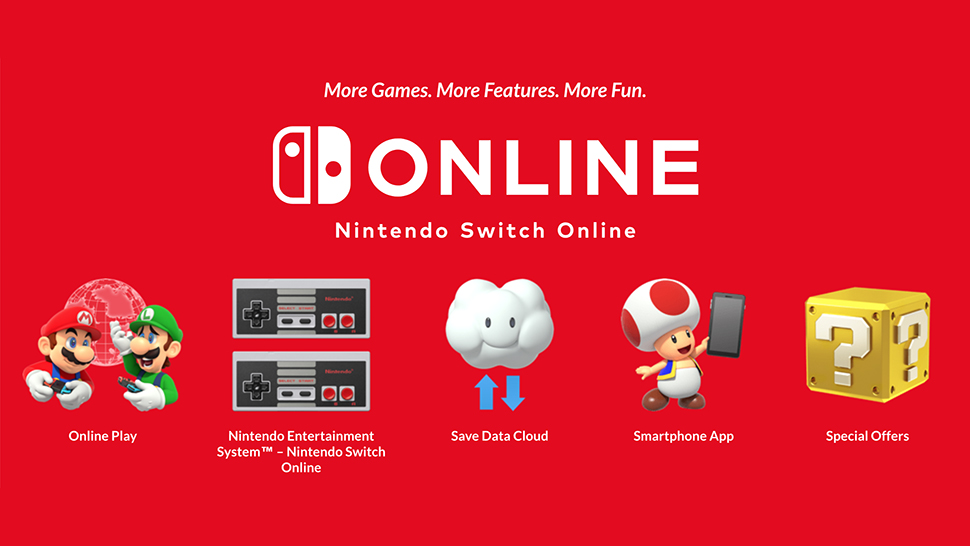
After a lengthy wait, Nintendo Switch online offering is now up and running. As you're probably aware, it brings with it the ability to save games in the cloud, access to a host of classic NES games, and of course online multiplayer. The downside is you have to fork out £3.49 / $3.99 to Nintendo every month.
Nintendo Switch: online multiplayer
Basic service has been online for a while
Full service finally launched in October 2018
Online multiplayer was available in some games from the launch of the Nintendo Switch, but now it's here in full – if you're willing to pay for it.
We've already had a play around with the console's companion app, which was compatible with Splatoon 2 right away: you could invite friends to matches, and voice chat with them, even if the whole process was rather cumbersome.
Using a separate device isn't ideal, and connectivity usually wasn't perfect. Whether the full Nintendo Switch online service turns out to be a winner remains to be seen.
What we can tell you is that regular updates to the Nintendo Switch companion app and the firmware on the console itself have continued to introduce some very welcome features – such as the ability to add friends directly from your 3DS and Wii U Friend Lists.
Local wireless multiplayer within a game such as Mario Kart 8 Deluxe works very well in our experience.
We used three Nintendo Switch consoles to have six people playing at once and found the entire process simple to set up, with no lag or connection problems.
To set up an online multiplayer game using local wireless, players simply start up Mario Kart and select local wireless mode for either one or two players within the game itself. After this, one player will set up a room which the other players then join, and the player who set up the room selects the race rules.
Each player will be given the chance to vote for their track preference and the game will randomly choose a track from those that players have voted for, much like online play works.
If you have two players to one console, then the screen will split for each of you to see your place in the race, but you won't see what everyone else is seeing on their screens unless their consoles are in front of you.
In the specific case of Mario Kart 8 Deluxe, the maximum number of players that you can have in a single race over local wireless is eight, with one or two players per Switch.
However, if you don't have multiple consoles then up to four friends can play on a single Nintendo Switch console in TV mode, or in tabletop mode.
Alternatively, if you have a lot of friends and a lot of consoles to hand, up to 12 consoles in TV mode can be connected via LAN Play, with one or two players per connected Nintendo Switch. However with each player required to have their own USB Ethernet adaptor, it's unlikely that many outside of tournaments will end up using their Nintendo Switch consoles in this way.
Nintendo Switch: online service
Nintendo Switch review
Limited functionality at launch
Full service arrived in October 2018
Nintendo’s online service certainly looks better than what it's offered in the past, but it still falls short of what competitors Sony and Microsoft are doing.
The service costs $3.99 / £3.49 / AU$5.95 if you're paying month by month, with the monthly cost dropping slightly if you commit to more months at once.
And remember those are the prices for one user. If you've got a family on your Nintendo Switch then you'll be looking to sign up for the more expensive family plan which costs £31.49 / $34.99 per year. It seems like a fair bit more, but it does allow up to eight accounts across multiple consoles, meaning you get a decent discount if you know a few people with Switch consoles who are willing to split.
Large parts of the service function through an app on your phone, so you'll have to have it on you if you want to use some of the online functions.
The service also offers its own somewhat limited version of Sony's PlayStation Plus free games and Microsoft's Games with Gold, giving players access to a small library of 20 NES games at launch (with modern features like online multiplayer). Nintendo is promising to add more NES games regularly.
Something a lot of people have been waiting for has also arrived with the online service: cloud saves. Those who subscribe to the online service can finally back up their saves for the games they've plugged hundreds of hours into (though they do have to pay for the privilege).
Though the Switch launched without the popular video streaming apps like Netflix, Hulu and Amazon Prime we've come to expect from consoles, Nintendo was quick to promise that these services would come to the console 'in time', though we haven't seen much yet.
Hulu is the first of these services to have launched. It's US-only, but we're hoping this is a good sign that other streaming services will be arriving soon. It certainly sounds as though YouTube could be imminent.
Nintendo Switch: eShop online store
eShop available at launch with modern games
Retro games available through Nintendo Switch Online
Like the Wii U before it, the Nintendo Switch features an online store that will allow you to download games rather than buy them in-store.
If you're looking to download your games instead of buying them in a physical format, you'll want to invest in a microSD card. The console's internal memory is limited to 32GB, an amount which is already too small for one game, Dragon Quest Heroes.
As for the Virtual Console seen on previous Nintendo devices, that's not coming to the Nintendo Switch. Instead, retro games are available through the online subscription service we've already mentioned.
Although the eShop could do with a few more titles to choose from, we like its minimalist design. Along the left are sections for Recent Releases, Coming Soon and Redeem Code and there's also some search functionality too.
You can add upcoming games to your Watch List, and there's also a section for downloading previously purchased titles to your Nintendo Switch. Nintendo is clearly planning to continue to add to the store as time goes on, too.
This original review was based on the Nintendo Switch model released at launch. However Nintendo has since updated its standard model to one which boasts a longer battery life.
With the Nintendo Switch having to work as a handheld as well as a home console, we were initially worried that the console's graphical abilities would be limited.
Internally the Switch is using an Nvidia Tegra X1 chip, which is broadly similar to what was found in the Nvidia Shield. That's not exactly a bad thing considering the Shield is a 4K-capable set-top box, but you have to remember that as a portable device the Switch needs to make compromises to ensure decent battery life.
At launch, concerns over graphical horsepower appeared to be partly borne out, but we wouldn't call them deal-breakers – we'd say the graphics on the Nintendo Switch appear to be roughly equivalent to the Wii U.
Nintendo Switch review (Image credit: Nintendo)
Nintendo Switch: graphical performance
Roughly equivalent to Wii U
Not on a PS4 or Xbox One level
Strength of Nintendo's art direction makes up for technical shortcomings
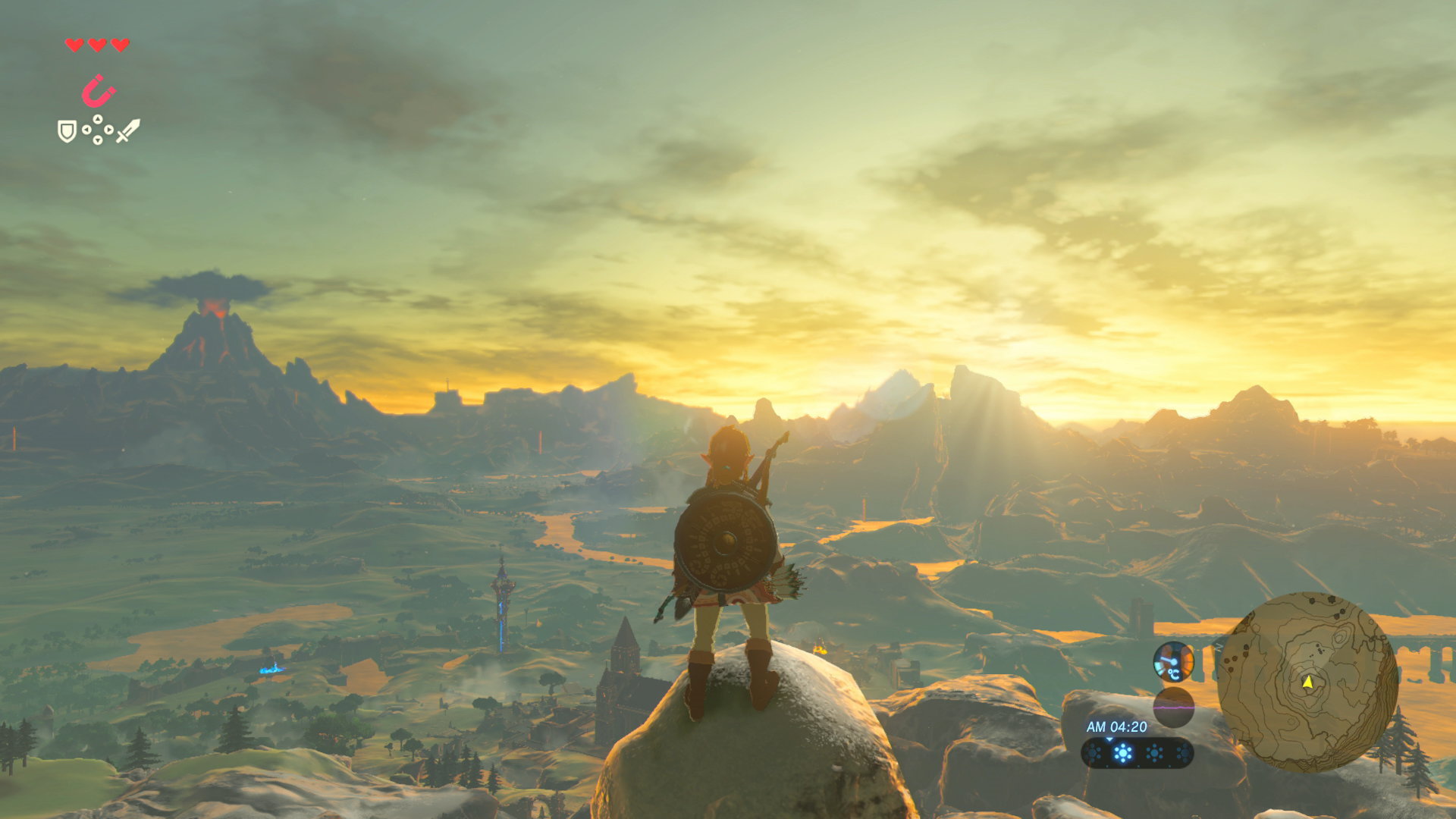
The Legend of Zelda: Breath of the Wild, for example, runs at a resolution of 720p on the Wii U, while this is boosted to 900p on the Switch when docked and outputting to a Full HD screen (4K output isn't supported).
On the surface this suggests the Switch has the graphical edge on the Wii U, but we experienced frequent frame rate drops when playing the game on our television.
Meanwhile, when played on the Switch's own 720p screen, the game maintained a consistent frame rate.
These observations would suggest that we're looking at a new console with roughly equivalent power to Nintendo’s last-generation system, but we'll see how the situation improves as developers continue to get to grips with the new hardware.
Nintendo Switch review (Image credit: Nintendo)
Nintendo has never been one to push the graphical envelope though. Past games such as the Wii U's Mario Kart 8 have certainly looked good, but this has been more as a result of their distinctive art style than the technical prowess of their graphics.
We're thankful then that this has tended to be a strong suit of Nintendo's in the past.
The look of the games (in handheld mode at least) is also helped by the quality of the Switch's screen. Although it's only a 720p resolution, the screen is bright and its colors are vibrant. It's not up there with the best smartphones on the market, but it's definitely a step above Nintendo’s past handhelds.
We'll have to see what the Nintendo Switch achieves in the graphical department going forward, but this certainly isn't a console to rival the likes of the PlayStation 4 or Xbox One.
The games we've played look very good for handheld games, but as console games they don't quite have the same fidelity of current-generation games on other consoles.
Nintendo Switch: battery life
As low as 2.5 hours for graphically intensive games
Enough for a commute, but longer journeys might prove problematic
Ability to charge over USB allows use of portable battery packs
Much has been made of the Switch's battery life, which Nintendo has claimed will last between 2.5 and 6 hours.
In our experience this claim has rung true. When actively playing Zelda we got around 2.5 hours, which was enough to cover our commute to and from work in a single day before we charged the Switch overnight.
If you're looking to use the console for a longer period, such as on a flight, then there are a couple of things you can do to squeeze some more battery life out of the console – turning on airplane mode for example (although this prevents you from detaching the Joy-Cons), and dimming the screen.
Additionally you're able to use portable battery packs, but this is hardly ideal, and we found that the Nintendo Switch draws so much power that at best they prevented the battery from dropping during play, rather than actively recharging it.
It's difficult to compare this battery life to previous handheld consoles, as even on the Switch itself this battery life will vary massively between different games, but we've seen a rest-mode comparison that put the Switch ahead of the Vita and PSP, while losing out to the DS and GameBoy Advance.
The bottom line is that this is a console that should be able to deal with your daily commute, but might struggle with longer journeys.
Update:This page originally covered the games that launched alongside the console. However after two years on sale the number of games on the Nintendo Switch has increased significantly – check out our guide to thebest Nintendo Switch gamesfor a constantly-updated list of the games you absolutely need to pick up.
Plenty of good games over the first 12 months
Eventual success will rely on third-party developers
Lack of graphical parity may harm long-term support
The Nintendo Switch's launch lineup comprised a combination of ports of existing games such as Shovel Knight, World of Goo and I Am Setsuna, new entries in existing franchises like The Legend of Zelda: Breath of the Wild and Super Bomberman R, and all-new games like Snipperclips, 1-2 Switch and Fast RMX.
All in all it wasn't a bad launch lineup, but the first 12 months that the Nintendo Switch was on sale also saw big new releases in the form of Super Mario Odyssey, Xenoblade Chronicles 2, Splatoon 2 and Arms.
Nintendo of America president Reggie Fils-Aime has also said in an interview that we could see more of Nintendo's big first party titles come to the console in one form or another (Super Smash Bros has now arrived, for example).
How this will continue to play out isn't fully clear, but Fils-Aime did say that a main Nintendo development philosophy is to have at least one of its classic franchises on every platform.
In its first year the console also received versions of big existing games like Minecraft and FIFA. Though not exactly new, titles like these will be important for consumers who don't plan on using the Switch as a second console, but will be using it as their primary gaming device.
The real test in the long term will be how third-party developers (i.e. those not financed by Nintendo directly) embrace the console. Although its graphics are good for a handheld, we worry that a lack of graphical parity with PS4 and Xbox One will prevent developers from easily supporting the console alongside those devices, which may harm the number of game releases it gets in the future.
So far there have been some positive signs for third-party support on the Nintendo Switch. Rocket League developer Psyonix brought the game to the console, for example, and the release of Snake Pass suggests that games can be brought over to the Switch without too many compromises.
Mario and Zelda have always been excellent games, but without the likes of franchises with more regular release schedules like Call of Duty, Assassin's Creed and Far Cry, you might find yourself lacking games to play in the long run.
We've had the chance to try out a select portion of the console's games at launch, so read on for our thoughts.
Nintendo Switch review (Image credit: Nintendo)
The Legend of Zelda: Breath of the Wild
Impressive modernization of a classic franchise
The Legend of Zelda: Breath of the Wild was undoubtedly the jewel in the crown of Nintendo Switch's launch lineup. Although the game also arrived on Nintendo's older Wii U console, the thought of being able to take a full-on, modern Zelda on the go was always going to be a compelling proposition.
But quite apart from being the best handheld Zelda game ever made, the game is also up there with being one of the best in the series too. It feels fantastically broad and open, with dozens of weapons to find, items to craft, and environments to explore.
Yes, the game breaks with tradition in so many ways but the experience still ends up feeling quintessentially Zelda, with all the charm that this entails. If you're picking up a Nintendo Switch or have done already, then Breath of the Wild is an absolutely essential purchase.
An interesting showcase of the hardware, but doesn't quite have the staying power of Wii Sports
Like the Wii before it, the Nintendo Switch introduces new technologies to gaming that haven't been explored before.
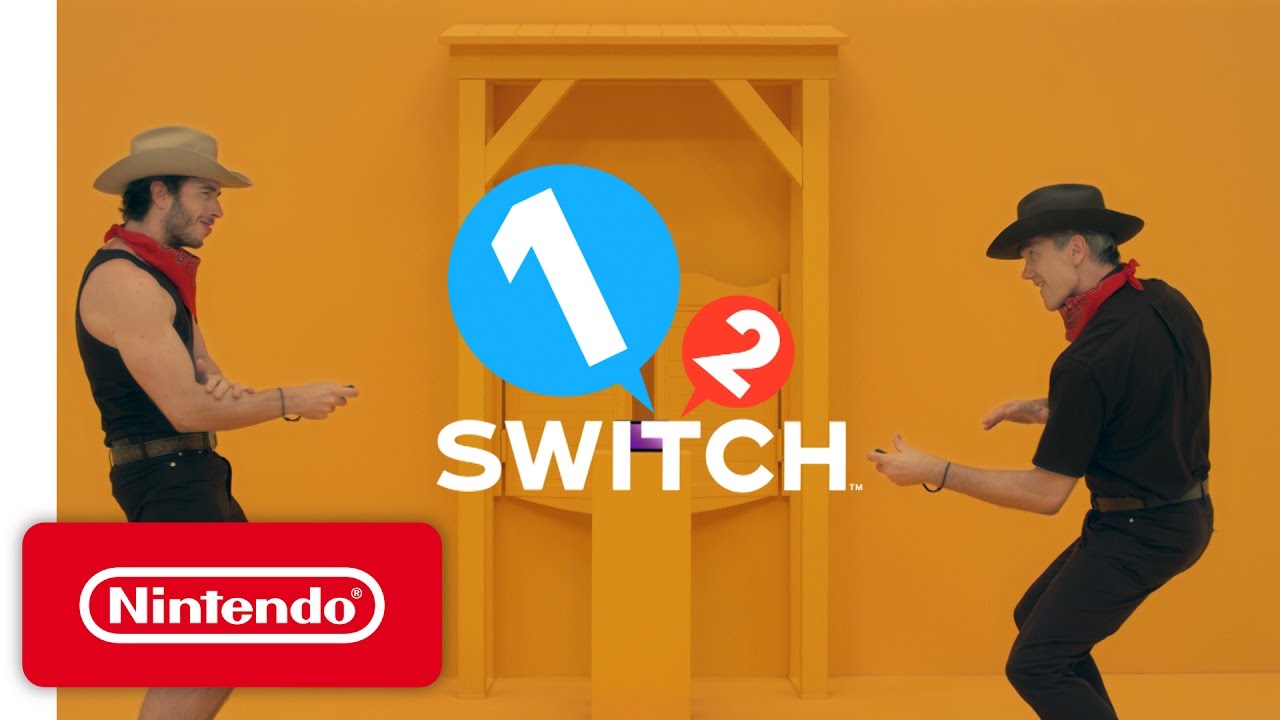
Whereas the Wii had Wii Sports to show off these new concepts, the Switch is banking on 1-2 Switch to demonstrate what the new hardware is capable of. The result is a collection of 28 mini-games, which cover everything from sword-fighting to Wild West gunslinging, while also making some time for cow-milking.
It's a fun collection of games, but we don't think it has the same 'replayability' as the classic Wii Sports did.
The games are more about performing in front of your friends than outright winning. For example, one game has you pulling yoga poses and trying to keep as still as possible for as long as you can, but since the Joy-Con is only tracking the movement of one hand, there's nothing forcing you to actually hold the pose specified by the game (aside from drawing the ire of your friends).
There's also no single-player mode for you to practise with when you're away from a group of pals. Overall the game is a bit of a mixed bag, but it's a fun one to use to show off your new Nintendo Switch to friends.
Nintendo Switch review
Snipperclips
A great little co-op indie game
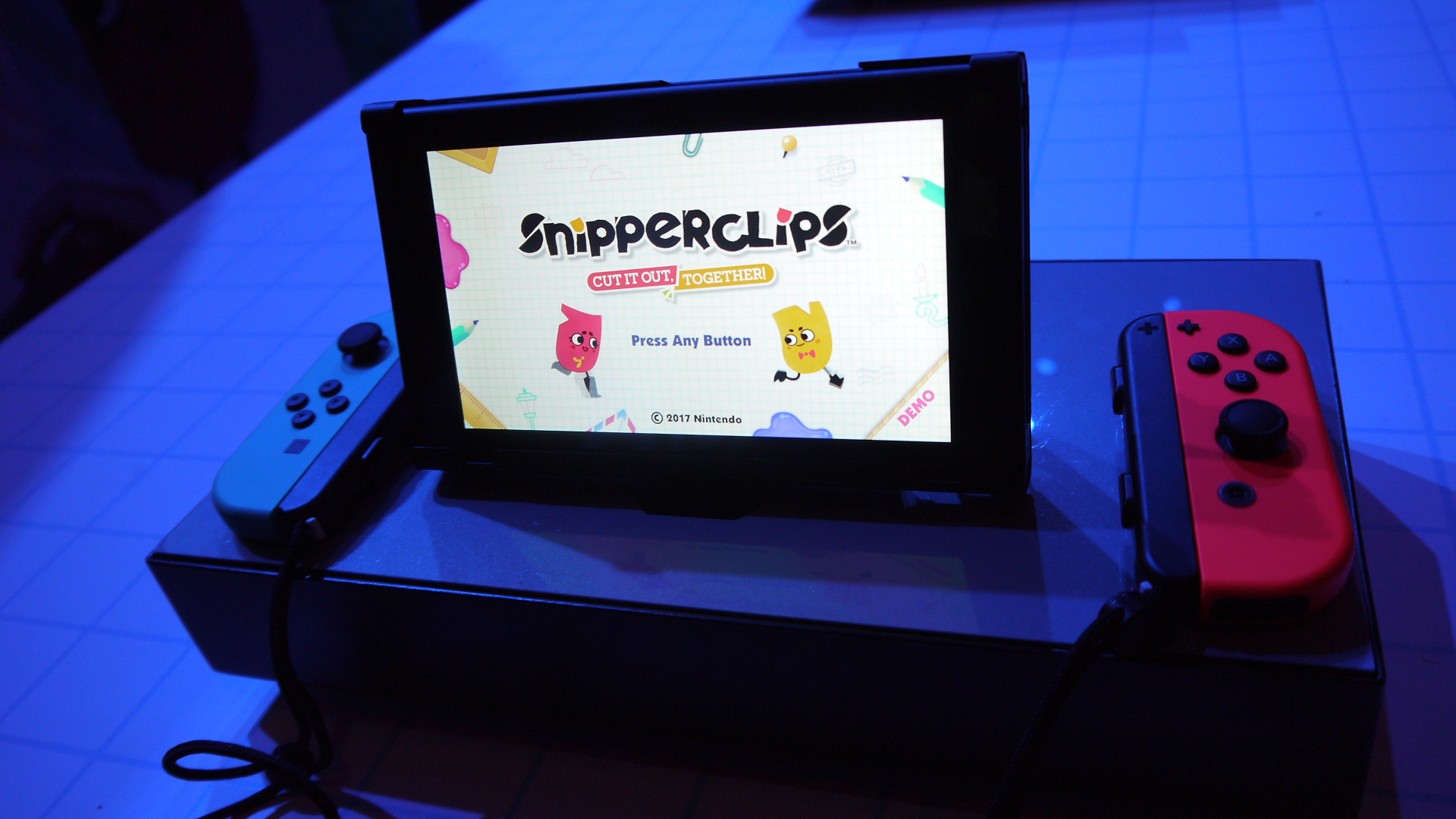
One of the nice surprises of the Switch launch event way back when was Snipperclips, a small puzzle game in which two players solve puzzles by cutting sections out of each other and changing their character's shapes.
It’s a delightful, charming, little game, and with its budget price tag we think it's another essential purchase for anyone who owns a Nintendo Switch.
Just Dance 2017
A competent entry in the series
You've almost certainly heard of Just Dance, the dancing series that first premiered on the Wii way back in 2009.
The game tasks you with completing various dance routines, either on your own or with a friend, and judges your progress based on the movement of a Joy-Con in your hand (unfortunately there doesn't appear to be a way to use two Joy-Cons simultaneously).
Much like 1-2 Switch, there's little to stop you cheating and not dancing with your whole body, but (also like 1-2 Switch) this is meant as a party game, so social niceties will hopefully stop you from spoiling the fun.
It's not the most feature-packed or technically advanced game in the world, but if you've enjoyed Just Dance games in the past then this appears to be a very serviceable version for the Nintendo Switch.
By all accounts the Nintendo Switch has had an amazing start to life, with a number of excellent exclusive games and solid sales.
However, the complete package (including Nintendo Switch Online) has only just become available, so we'll have to reserve judgment on that part of the Nintendo Switch experience for the time being.
We liked
When compared with the handheld consoles that have come before it, the Nintendo Switch blows them out of the water with its graphical quality, which comes close to the last generation of consoles.
This is helped by its impressive screen which is bright, crisp, and colorful.
Providing the console with a controller that also doubles as two individual controllers is a very neat inclusion, and should mean that you're always able to join a friend for a quick multiplayer game while you're out and about.
We're pleased to report that the Nintendo Switch docking and undocking process is impressively seamless too, with games that don't even need to be paused before being plugged into a television.
We also like the pattern of regular updates that Nintendo has established: Fortnite has just been added, for example, and the online service seems set to shake things up once again.
Nintendo Switch review (Image credit: TechRadar)
We disliked
The phrase "jack of all trades and master of none" may sound negative, but the impression the Nintendo Switch has left us with is that sometimes compromise is necessary and good.
Yes there are better home consoles out there with controllers that can be good at doing just one thing, and yes there are handhelds out there that have better battery life and a more compact form-factor, but no other piece of gaming hardware has attempted the sheer number of things as the Nintendo Switch does – and then delivered so competently on so many of them.
The graphics aren't the best around, but they're good enough that they don't feel dated. The controller isn't the most comfortable, but it never feels outright difficult to use. The battery life isn't the best, but it's enough for daily use.
Final verdict
All of these trade-offs have been born out of compromise and an attempt to make something that works in so many situations, and on that final point the Nintendo Switch is a great success.
What remains to be seen is if, in the years ahead, its games library can shape up to be something you'll want to play both at home and on the go, and whether its online service can compete with the existing efforts from Sony and Microsoft.
If both of these play out well, then Nintendo will have found a set of compromises worth making.
So is the $299.99 / £279.99 / AU$469.95 asking price justified? At this point the answer seems to be a resounding yes. Nintendo has released excellent game after excellent game for the system, and the hardware does a great job of making these games come alive.
It's also worth mentioning there are often some really good value bundles available across all markets – for more on this check out our guide to the latest Nintendo Switch bundles and deals.
But if you're after a 'complete' console experience, then you might have to wait a while longer to see how Nintendo Switch Online pans out.
We highly recommend the Nintendo Switch, but everything has been shaken up by news that the Nintendo Switch Lite is on its way in September 2019.
According to Nintendo, the Nintendo Switch Lite is a device "dedicated to handheld gameplay", has integrated controls and, unlike its larger predecessor, will not support video output to TV.
That means, so far, what we know is the Lite is, as you probably guessed, a lighter version than the Nintendo Switch. Not only will it cost less, but it's designed to be only handheld rather than syncing up to your TV. Depending on what you need the Switch for, and how you game already, it could be relatively easy to figure out which one you need.
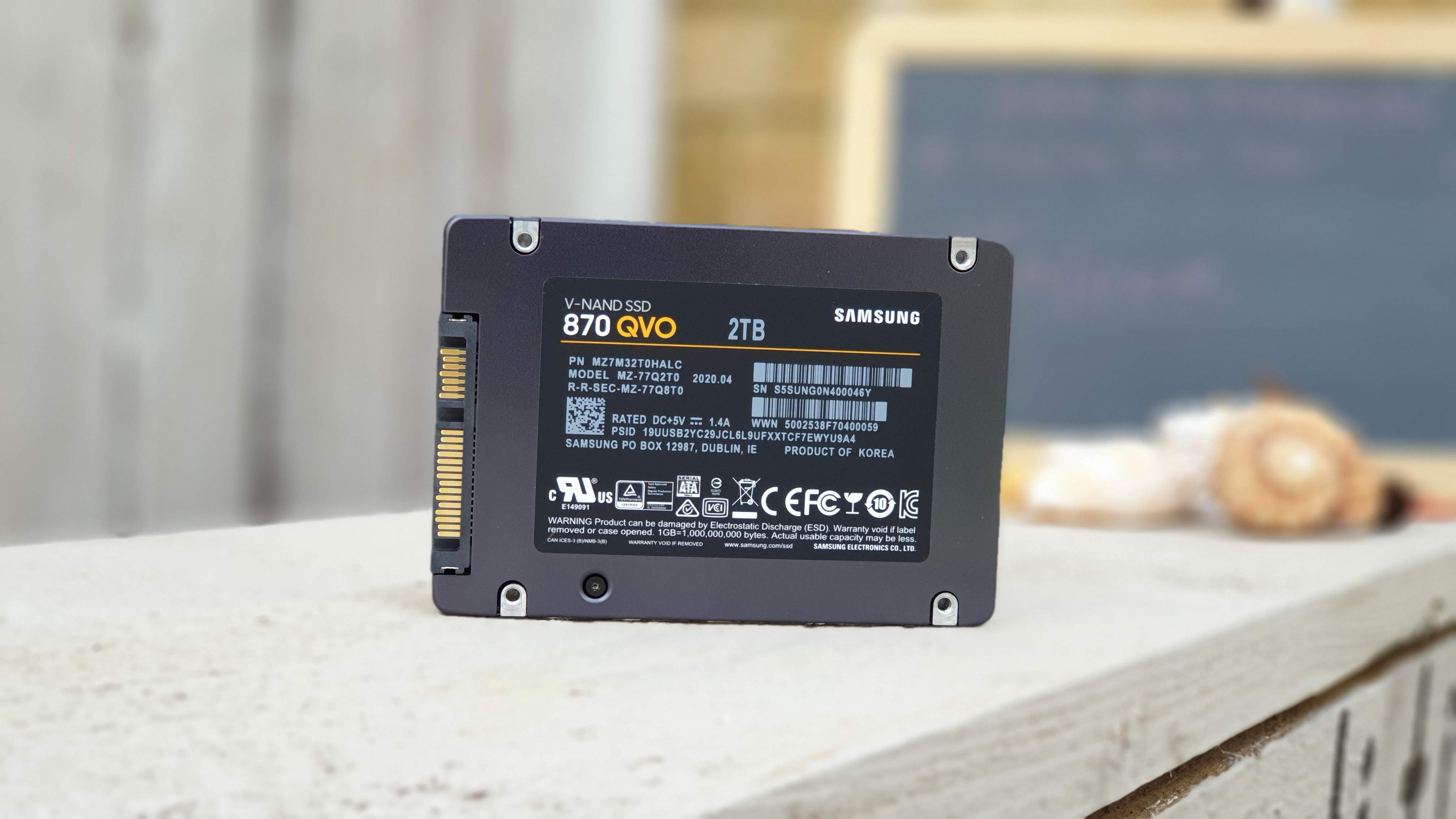
Just over 18 months after it was introduced, the 860 QVO is making way for the 870 QVO. The second iteration of Samsung’s popular budget line has upped the ante with the introduction of an 8TB solid state drive, the first time we’ve seen this capacity hit mainstream.
The drive is available in four versions: 1TB ($129.99), 2TB ($249.99), 4TB ($499.99) and finally 8TB ($899.99). It’s worth noting that buying a pair of 2TB SSD costs roughly the same as the 4TB one.
The hardware
The 870 QVO uses Samsung’s second generation 4-bit MLC V-NAND paired with the new MKX controller. The 2TB model we tested today has a 2GB LPDDR4 which is used as DRAM cache memory. The memory size grows proportionally with the SSD capacity. As expected, the device runs on a SATA interface which is somewhat of a disappointment and limits the expected performance of the product.
(Image credit: Future)
Sadly, despite our best efforts, we couldn’t pry the case open to check the motherboard. It’s worth noting that the drive weighs in at 46g which is significantly lighter than the 62g of the 860 QVO. What it means is that the SSD is likely to be mostly empty space with the 2.5-inch enclosure needed for compatibility with existing systems.
The software
The 870 QVO ships with Samsung's latest iteration of its Magician SSD toolbox, a suite of useful applications that allows you to update the drive’s firmware, enable encryption options, monitor the health of the SSD and more. Samsung also offers a Data Migration software, which enables the user to clone over data from an existing drive to the new SSD via a “custom cloning” feature.
Note that the drive also supports a number of security features like AES 256-bit (Full Disk Encryption), TCG/Opal V2.0 and Encrypted Drive (IEEE1667).
Performance
The Samsung SSD 870 QVO is rated at 560MBps and 530MBps respectively on sequential read and write. Samsung caveats the latter number by adding that the numbers are based on its Intelligent TurboWrite technology; the latter is a fixed amount of SLC buffer (42GB in the 1TB model, 78GB on the others).
Benchmarks
Here’s how the Samsung SSD 870 QVO performed in our suite of benchmark tests:
AS SSD: 502.25MBps (seq read); 483.7MBps (seq write)
AJA: 486MBps (read) ; 466MBps (write)
Once the buffer is full or if the SSD has less than a certain amount of free storage, Intelligent TurboWrite will not work and sequential write performance can fall to as low as 80MBps for the 1TB model and 160MBps for the bigger capacities. Random reads and writes (QD1) are rated at 11K IOPS (a 13% improvement on the 860 QVO) and 35K IOPS.
The drive comes with a three year warranty and has an endurance of 0.33 drive writes per per day (that’s 720TB in total) which is similar to the 860 QVO.
As for the benchmarks, no surprise there: the 870 QVO performs admirably for what it is, a SATA-based SSD. It does hit the quoted numbers under CrystalDiskMark with sequential read speeds of 561MBps/530MBps respectively in read/write using our test system (the Chuwi GBox). Numbers for AJA, ATTO and AS SSD benchmarks were equally impressive but bear in mind that this is a fraction of what PCIe NVMe models can achieve.
The competition
There’s two sides to this: First, the 8TB version. Surprisingly, there is competition at this capacity but not from the usual suspects (Sandisk, Seagate, Sabrent or Kioxia). No, the Micron 5210 ION SSD is an enterprise solid state drive which has been around for nearly two years and has, until now, offered some of the cheapest prices per TB prices on high capacity SSD.
At the time of writing, its highest capacity (7.68TB) can be purchased for $879 from Amazon, which is slightly more expensive per TB compared to Samsung’s 8TB model ($114.45 vs $112.50). It is also slower than its rival but has a longer warranty (five years), a far, FAR higher DWPD (drive write per day) at 0.8 and a Total Byte Written that exceeds 1.1PB (that’s Petabyte).
Micron introduced it as a replacement for large 10K RPM hard disk drives that populate data centers and as such is geared towards those use cases. No surprises here that it uses Micron’s own 3D QLC NAND.
The competition at the lower capacity points is even fiercer; At 4TB, Samsung’s own 860 QVO, by no means a slouch, can be had for $449, Sandisk’s Ultra, for $449.99 - in both cases 10% discounts - while WD Blue hits $527.46 but uses TLC rather than QLC. At 1TB and 2TB, Samsung faces more competition and is likely to be at a disadvantage as faster PCIe NVMe models come down in price rapidly.
Final verdict
We are excited about the 8TB version of the Samsung SSD 870 QVO, less so about the others. Given the current trend, we can expect the next generation, probably called the Samsung SSD 880 QVO to reach 16TB in about two years, which would put it on equal footing with hard disk drives, which are currently at this capacity and very unlikely to grow well beyond that over the next 24 months.
For the other storage tiers though, there’s hardly anything worth getting excited about given the small performance gain over the 860 QVO. Performance is in line with what is expected of a SATA drive and we’ve reached a point where a PCIe NVMe drive, which is capable of achieving far better numbers doesn’t cost a lot more than this one (and is likely to use non-QLC parts).
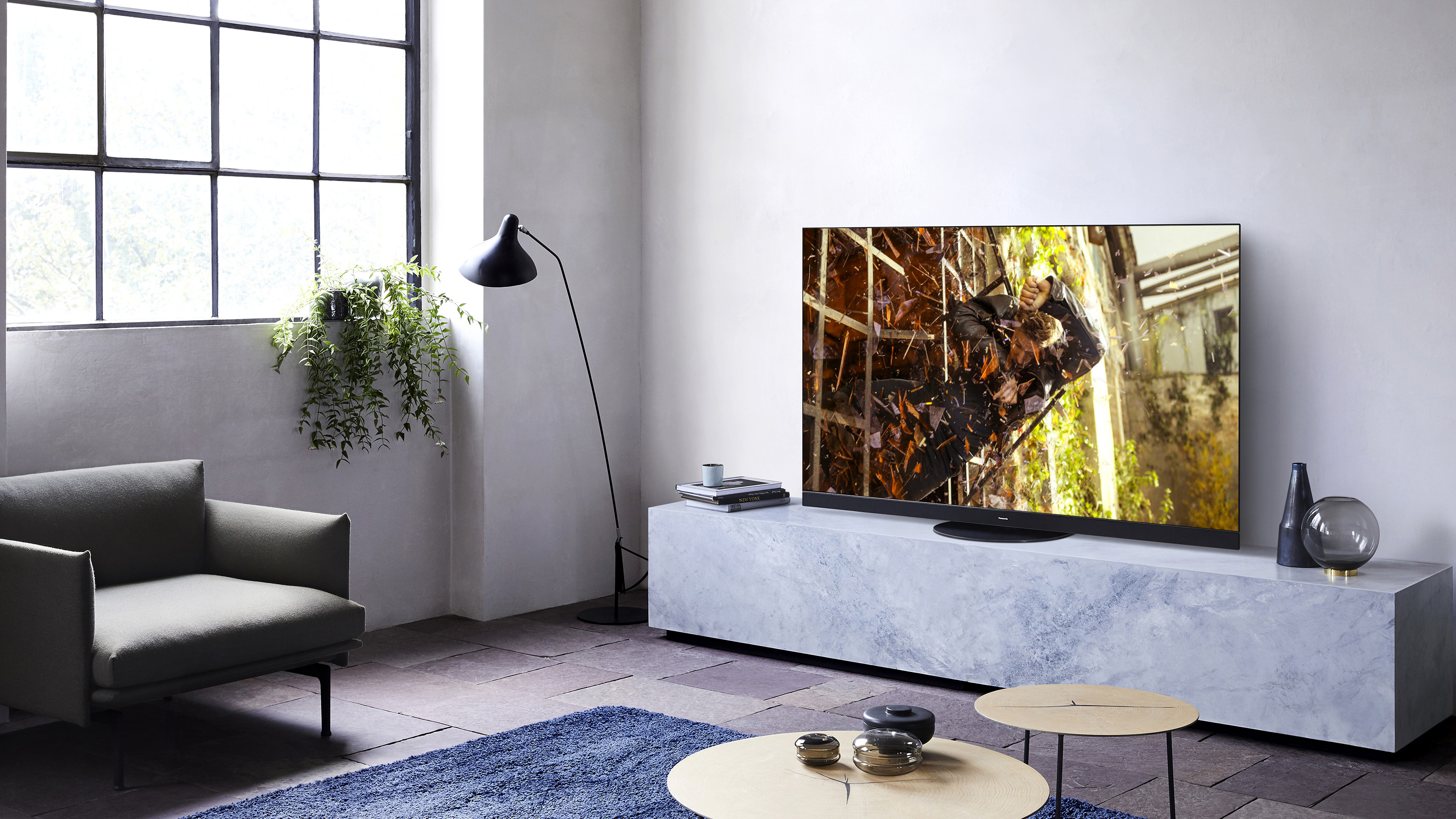
What to say about the Panasonic HZ1500 OLED TV? As a successor to last year’s GZ1500, not too much is different. While the GZ1500 was a trailblazer in its brand-new HCX Pro Intelligent processor, an improved My Home Screen OS, and the introduction of Dolby Atmos audio, the HZ1500 has less to really make it stand out.
That’s not entirely a bad thing: the HZ1500 keeps the same high-quality OLED panel, knockout picture, and overall design philosophy of its predecessor, and there certainly isn’t much, if anything, to improve on. The blacks are deep, the contrast and color accuracy is exceptional, and there’s near-nothing to fault in the images onscreen, which is the most important thing in any TV review.
That said, the few new additions to the HZ1500 this year are still worthy of note. Dolby Vision IQ is a neat feature to adjust calibration based off ambient light in the room – ideal in the middle of summer, when natural light is persistent even when settling in to watch a movie in the evenings. Filmmaker Mode, aimed at restoring ‘what the creator intended’, feels less necessary, given the light touch that Panasonic gives in the processing department anyway.
The lack of HDMI 2.1 – and, even worse, the current lack of Disney Plus – shows that Panasonic wasn’t too worried about staying ahead of the curve, though these issues likely won’t be a huge issue for many.
All in all, it’s clear that the main changes in 2020 are more to do with the OLED TV range as a whole, with a new HZ920 model designed to bring the OLED experience to those with smaller budgets – and is well worth a look if you’re willing to sacrifice the HZ1500’s stellar Dolby Atmos speakers for a more affordable purchase.
Price and availability
The HZ1500 isn’t the cheapest Panasonic OLED in 2020, but it isn’t the most expensive, either. You’ll find this set in 55-inch and 65-inch sizes (the latter reviewed here), retailing at £2,499 and £3,499 respectively.
For comparison, the lower-end HZ1000 starts at £1,999, while the flagship HZ2000 will be a step up from the HZ1500’s price tag again. The main difference is in audio capability, which we’ll get into in our Audio Performance section, but suffice to say the HZ1500 acts as the middle child in the 2020 Panasonic TV range.
Panasonic doesn’t ship to North America, either, so any US shoppers reading this should take a deep breath and dive into this best OLED TV guide instead.
(Image credit: TechRadar)
Design
Panasonic HZ1500 TV specs
(Image credit: Panasonic)
Screen Sizes: 55-, 65-inch | Tuner: Freeview HD | 4K: Yes (3,840x2,160) | HDR: Yes | Panel technology: OLED | Smart TV: Yes | Curved: No | Dimensions: 1449 x 896 x 350mm (WxHxD) | Weight: 36kg | 3D: No | Inputs: 4xHDMI, 3xUSB, optical, Ethernet, CI slot
Dolby Atmos soundbar
No HDMI 2.1
Swivelling TV stand
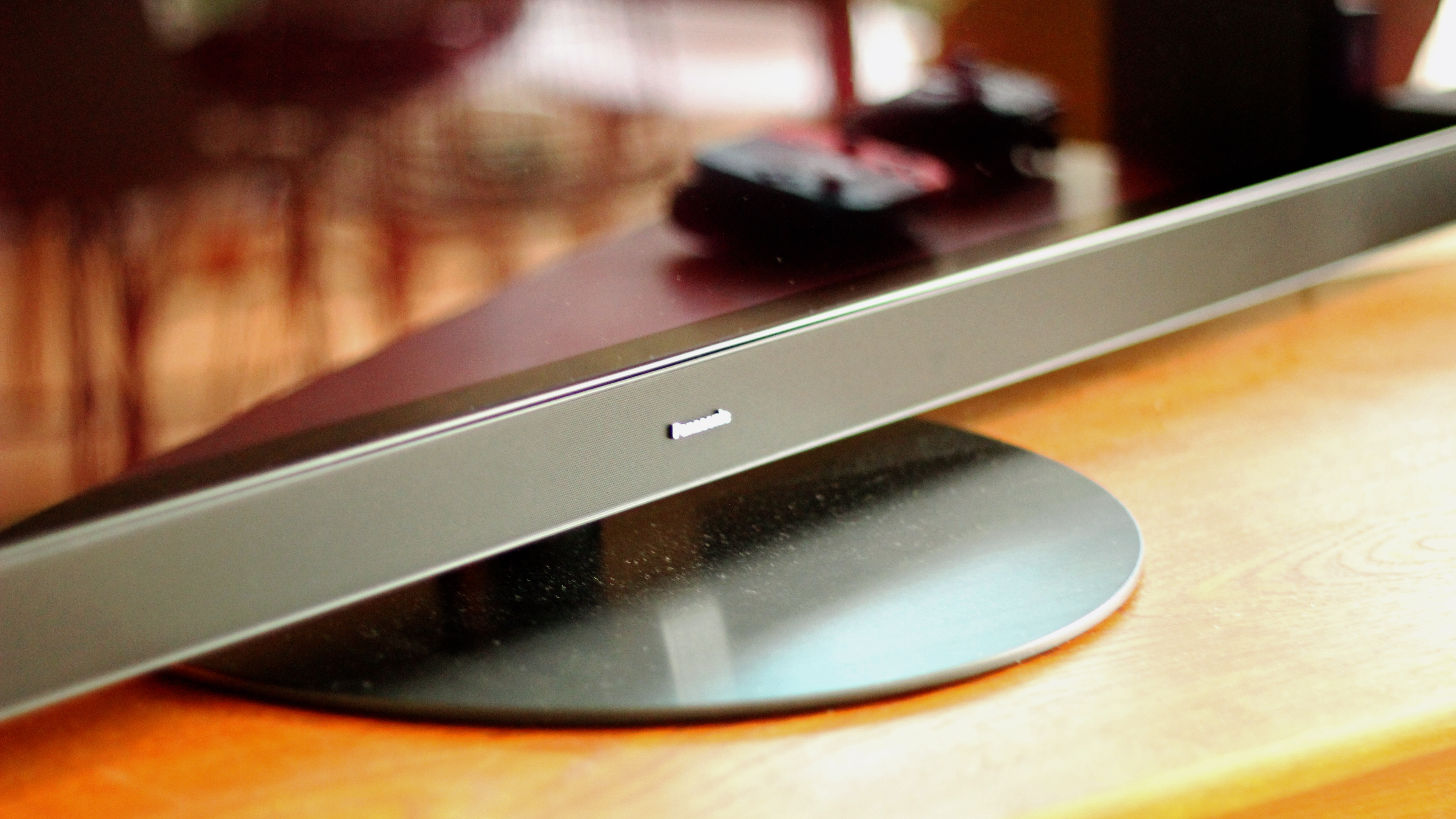
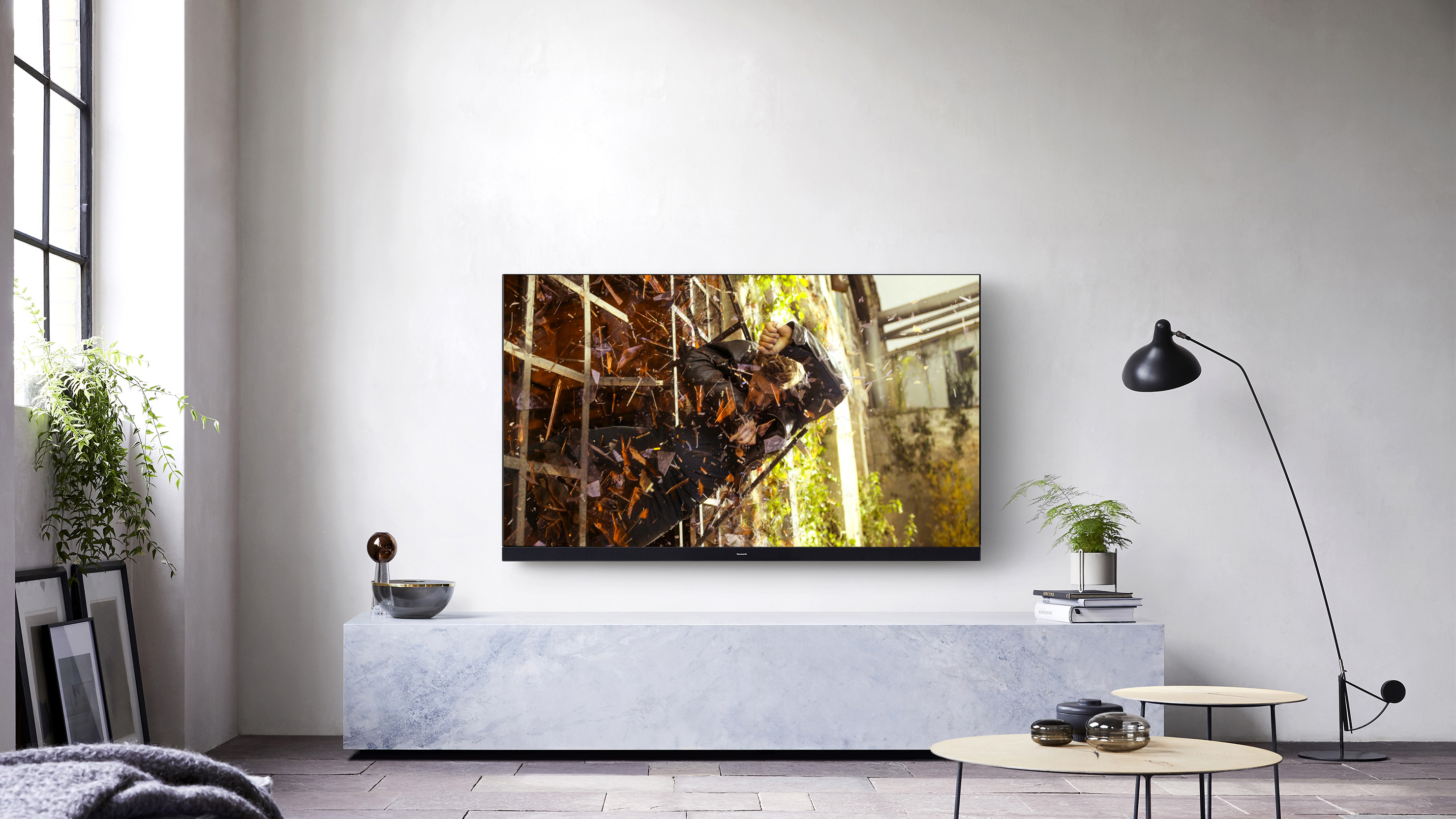
The HZ1500 offers the same silhouette as last year’s model. You’ll find a minimal-bezel screen with a ‘blade speaker’ (integrated soundbar) attached on the lower edge, all of which pivots on a circular stand that makes it beautifully easy to adjust the exact angle the TV screen is pointing.
The rear of the television isn’t quite as intuitive, with an uneven surface and indents that require you to reach at awkward positions to attach anything via cable (like HDMI) – largely because these ports have been built around the ‘tower’ structure of the upward-firing speakers. You’ll find four HDMI ports, with one including eARC for connecting a soundbar, but only one out of four is easily accessible at the side.
Panasonic’s 2020 OLEDs do not come with the latest HDMI 2.1 standard, unfortunately, meaning you won’t get 4K video at 120Hz here – though unless you’re planning on making the most of next-gen gaming consoles, you probably won’t miss its presence.
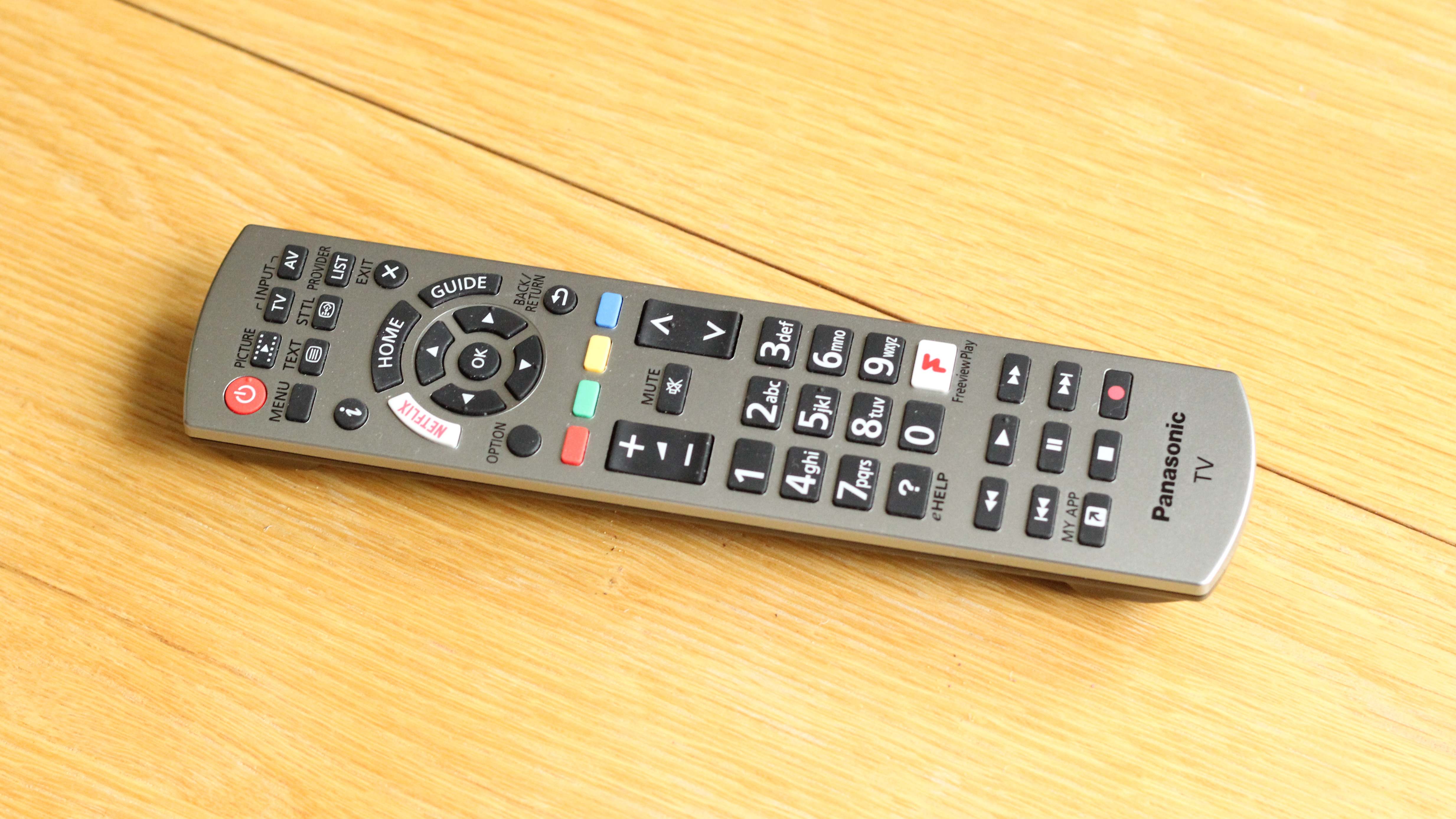
There’s a single remote included, with a bulky numerical pad and worse looks than Samsung’s designer remote or LG’s Magic Remote, but it will certainly do the job – and the dedicated ‘My App’ button is a flexible addition that lets you choose your own favorite app to shortcut to.
(Image credit: TechRadar)
Smart TV (My Home Screen 5.0)
Plain and simple
No Disney Plus
Recommended titles (sometimes)
Panasonic is known for having a pretty pared-back operating system, a proprietary piece of software called My Home Screen.
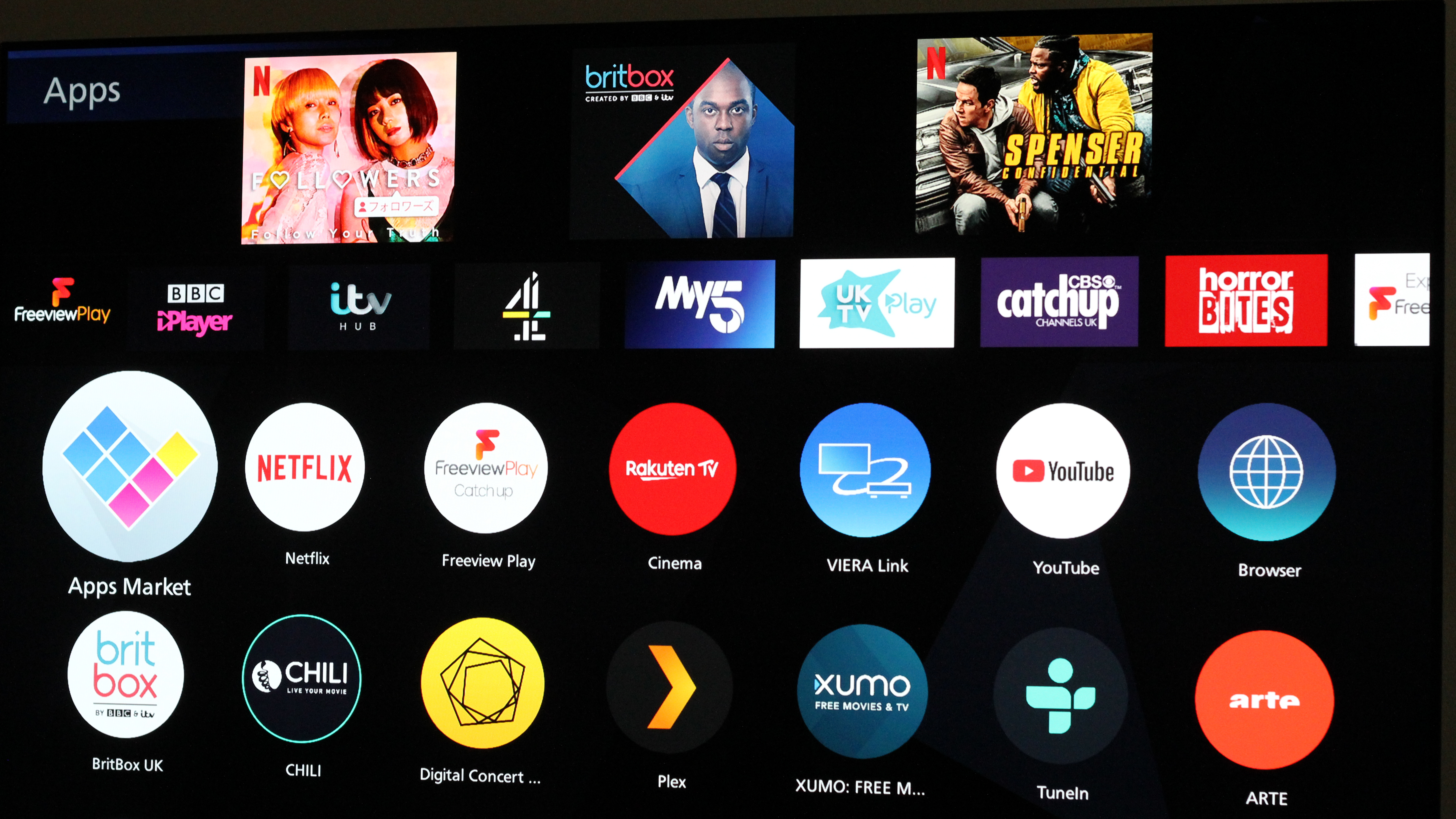
2020 sees My Home Screen enter its fifth iteration, and there’s not much to report. Viewers will find a very minimal overlay when pressing the Home button on the remote, which conjures up four icons at the bottom of the screen: Apps, Devices, Live TV, and Main Menu (where you’ll find picture settings and the like, though the ‘Picture’ button on the remote is a handy shortcut).
What’s neat, though, is how easy it is to customize. By heading to the ‘Apps’ section, you can head to any streaming service and press ‘Option’ to bring up a submenu, which allows you to ‘Pin’ the app to the Home screen, set as ‘My App’ on your remote, ‘Move’ the app elsewhere, or ‘Show Info’.
We only spotted two minor new features. One is the appearance of recommended titles above certain streaming apps, like Netflix and YouTube – something both Samsung’s Tizen and LG’s webOS (the best smart TV platforms in the business) have done for years. The other is that regularly-used apps will be gently suggested to you for pinning on the home screen if you haven’t got round to it already, and which feels like a somewhat personal nudge for the viewer. (Panasonic, you noticed!)
Our main complaint is with regards to the app support – specifically the lack of Disney Plus. With the Disney Plus app already on a host of streaming sticks, as well as Samsung TVs and LG TVs, this is a bit of a disappointment – and as the biggest streaming service launch of recent months, a very surprising absence.
We expect app support is coming at some point, but those hungry for Disney Plus shows in the meantime should probably look elsewhere (or use a game console / streaming stick that does support it). You do, however, get Freeview Play in the UK.
(Image credit: TechRadar)
Picture quality
Exceptional OLED panel
Dolby Vision IQ for improved HDR pictures
Filmmaker Mode
The HZ1500 will not disappoint you in the picture department. The OLED panel is just as exceptional as in last year’s set, with gapingly deep blacks, sharp detail, and a contrast ratio to die for.
Panasonic prides itself on cinematic images, as evidenced the number of film production studios using Panasonic monitors. The HZ1500 is also calibrated by Hollywood colorist Stefan Sonnenfeld (The Force Awakens), and the result is a knockout picture boasting both smooth motion and exceptional contrast.
When watching Rian Johnson’s Knives Out (Amazon Prime Video, 4K HDR), we were blown away by the level of detail and contrast even in the dark, nighttime scenes outside the family mansion, and in the richness of color that came across even in dimly-lit rooms. It truly felt like a night at the movies, helped by the 65-inch screen and impactful speakers (more on that below).
It helps that the HZ1500 offers universal HDR support, with HDR10+, Dolby Vision, and HLG all present – something you'll find all the way down to mid-range LCDs in the Panasonic 2020 TV range. There's even support for HLG Photo Mode: an HDR image standard used on Panasonic cameras. It pays to stay in the ecosystem, folks.
Upscaling is fully adequate too, even if HD sources tend to take on a slightly grainy effect – something that’s still hard to avoid on such a massive 65-inch screen. But it’s hardly noticeable, and easy to forget when the strengths of this panel are so evident.
(Image credit: TechRadar)
Brightness control is a particular strength of the HZ1500, largely due to the inclusion of two technologies: Dolby Vision IQ, and Filmmaker Mode with Intelligent Sensing.
Both make use of a light sensor on the front of the television casing, adjusting picture calibration based on the level of light in the room you’re watching in – for Dolby Vision content in the first case, and for any non-DV content in the second. It’s a big help if you’re watching in the daytime, or don’t have the luxury of blackout curtains in your ‘personal cinema’ room, especially when it comes to Filmmaker Mode.
Filmmaker Mode is a new TV setting, backed by Christopher Nolan and Martin Scorcese, which effectively resets picture processing to something more akin to the mastering monitors used in production studios. The image tends to get a bit darker and duller, though – which, on a dim OLED panel, can be tricky – losing some of the punch of Normal or Dynamic, and the brightness-adjusting Intelligent Sensing feature helps to manage this.
The difference is especially evident for SDR, and viewers might be better off sticking to a Cinema preset unless they're watching in bright conditions and need the Sensing turned on.
Dolby Vision IQ and Filmmaker Mode are really the only notable changes for 2020, and if you’re still making do with the GZ1500 you probably won’t see much difference – but there’s just enough of an improvement to warrant the new model, and it’s definitely worth considering for a new TV purchase this year.
(Image credit: TechRadar)
Sound and gaming
Dolby Atmos speakers
Rich, detailed soundstage
Unremarkable input lag
What sets the HZ1500 apart in the Panasonic TV range this year is the sound. You’re getting the same panel and processor as the HZ1000 or HZ2000, but with 80W speakers – rather than the HZ1000’s 30W, or the HZ2000’s 140W.
Unlike the HZ1000, you’re also getting Dolby Atmos support, meaning you’ll be able to hear Atmos-mixed movie soundtracks in their full surround sound glory – or as much of it as possible in a single soundbar. The upward-firing ‘tower’ speaker helps here, reflecting audio off the ceiling and towards the viewer – and you’ll be able to calibrate the audio at setup depending on how far away the TV is away from your seat.
The audio is definitely rich and impactful, whether you’re listening to dialogue, the running water in a river, or orchestral movie soundtracks.
Gamers will have to make do with unremarkable input lag (no less than 20ms), but they shouldn’t be disappointed with the picture. We spent a good while roaming through Obsidian’s The Outer Worlds, awestruck at the dazzlingly vivid colors and excellent contrast – especially helpful when attempting to pick out objects and enemies against the background. Whether you’re eyeing up the neon lights up in the galactic night sky, the deep midnight blue of the planet’s rivers, or the bright outline of your HUD, the HZ1500’s OLED panel can deliver those images with aplomb.
Gaming showed off the HZ1500’s audio capability at its best too. Swinging our weapon would emit an immensely satisfying sound, as metal swung across the screen with the sound travelling from one side of the speaker to another. There’s a dedicated game mode too to smoothen out the refresh rate, which – especially in online matches or fast-moving action – can be a big boon.
Should I buy the Panasonic HZ1500 OLED TV?
(Image credit: Panasonic)
Buy it if...
You want a knockout home cinema for movies. You don’t get much better than this OLED display, and Panasonic is all about recreating a movie theater experience.
You don’t want to buy a separate soundbar. The HZ1500 comes with stellar built-in speakers and Dolby Atmos surround sound. You won’t get the full effect of having numerous speakers set up around the room, but it’s a good sight better than the average television set.
You’re watching in the daytime. We’re not judging: if you’re partial to watching blockbuster movies in the middle of the day, the new Intelligent Sensing and Dolby Vision IQ features will help the picture compete with the ambient light around you.
Don't buy it if...
You want a bargain. There are cheaper OLED TVs out there, some of them even by Panasonic! Wait for the HZ980 model, or check out last year's LG B9 OLED for a true value OLED.
You already have an external audio setup. If you have a soundbar and surround sound speakers already, the blade speaker on the HZ1500 may not feel so necessary.
You watch a lot of Disney movies. The lack of Disney Plus is a travesty. A travesty!