Friday, 28 September 2018

OnePlus begins teasing OnePlus 6T

OnePlus 6T teaser logo

The OnePlus 6T is coming soon, and OnePlus today posted its first teaser for the device.

A brief video posted to the official OnePlus Twitter page shows a hexagon with the letter "T" in it followed by the phrase "Unlock the Future". The clip, which may be teasing the OnePlus 6T's in-display fingerprint reader, ends with the logo for the OnePlus 6T.

Considering that we've seen several OnePlus 6T leaks in recent weeks, it shouldn't come as a surprise that the device is coming soon. Still, it's nice to get confirmation from OnePlus that the 6T is near.

OnePlus has confirmed that its next phone will have an in-display fingerprint sensor and that it will ditch the 3.5mm headphone jack. Meanwhile, the rumor mill has supplied us with leaked renders of the device, showing a phone with a significantly smaller display notch than the one on the OnePlus 6.

Are you looking forward to the OnePlus 6T?


from PhoneDog.com - Latest videos, reviews, articles, news and posts https://ift.tt/2zDgNSp
via IFTTT

Facebook says it was hacked, nearly 50 million accounts affected

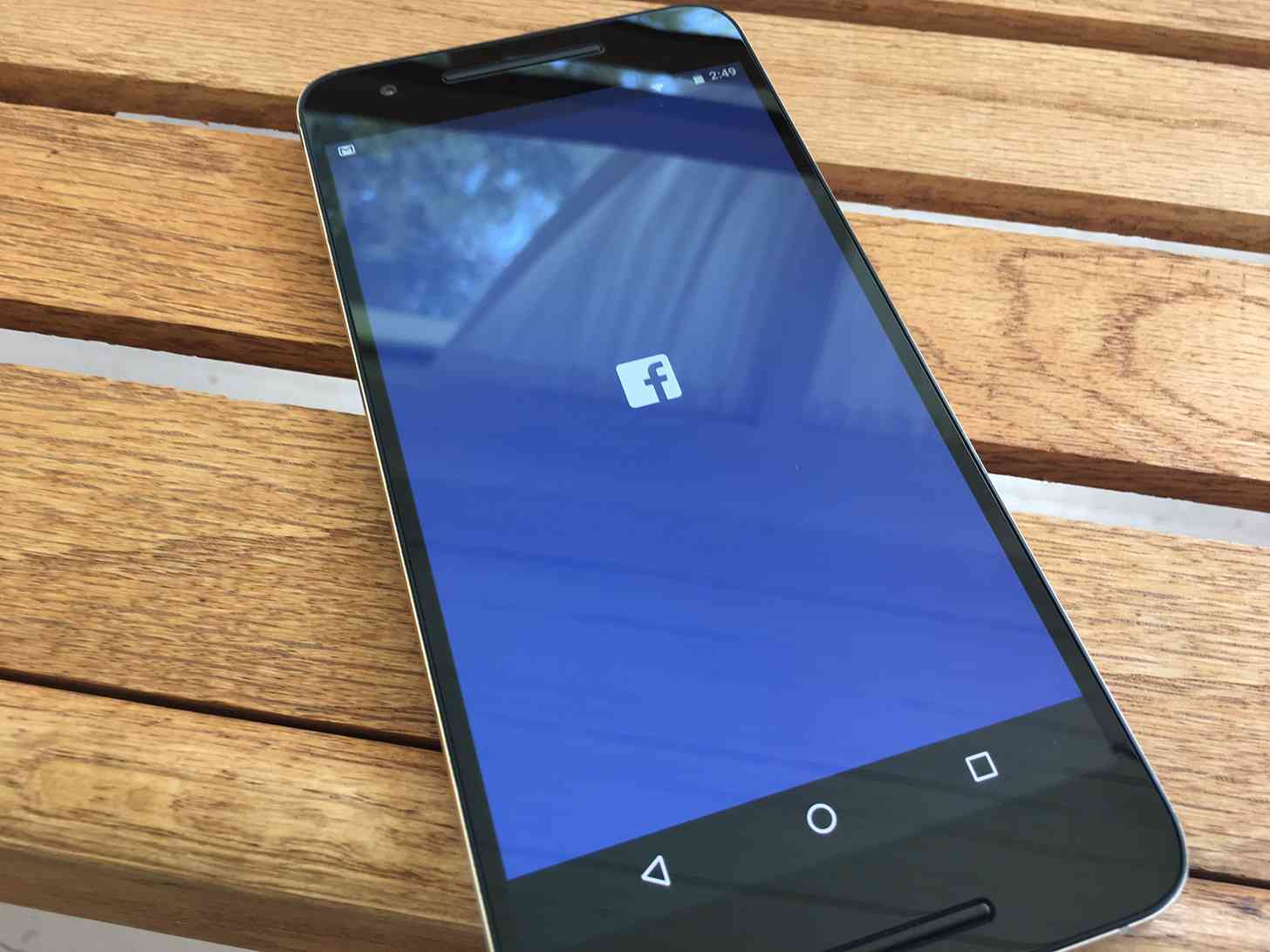
Facebook app Android

Heads up, Facebook users, because the mega social network was recently the victim of a hack.

Facebook announced today that on September 25th, its engineering team found that hackers exploited a vulnerability in Facebook code with the "View As" feature, which lets you see what your profile looks like to other people. The malicious party stole access tokens that could be used to take over users' accounts.

The issue affected nearly 50 million accounts. Facebook says that it has reset the access tokens to all of the accounts that it knows were affected, and it's also taking the precautionary step to reset the access tokens for another 40 million accounts that have been subject to a "View As" look-up in the last year. If your account is one of these 90 million, you'll need to log back in to Facebook and any apps that use Facebook Login. After logging back in, you'll get a notification explaining what happened.

Facebook says that because it's only just started its investigation into the incident, it doesn't yet know if the affected accounts were misued or if any user information was access. It's also unclear who was behind the attack.

Facebook has fixed the vulnerability and informed law enforcement about the situation. Additionally, Facebook is temporarily disabling the "View As" feature while it conducts a security review.


from PhoneDog.com - Latest videos, reviews, articles, news and posts https://ift.tt/2R7S53u
via IFTTT

Titanium RED Hydrogen One delayed, pre-order customers get free aluminum model

RED Hydrogen One official

We got another update on the RED Hydrogen One this week, and unfortunately, it's not good news.

RED founder Jim Jannard says that the first run of the titanium Hydrogen One "is a disaster" and "all fail". Jannard adds that while all of RED's cameras are made in California where the company has control over the manufacturing process, that's not the case with the Hydrogen One. "We are left to rely on the schedules and representations of our suppliers. In this case... we were let down pretty severly," he explains.

In order to make up for this delay of the titanium RED Hydrogen One, Jannard says that all pre-order customers who selected a titanium model will receive an aluminum RED Hydrogen One when that model begins shipping. And when the titanium versions are being made correctly, those pre-order customers will get their device. Those folks will be able to keep both phones.

The titanium version of the RED Hydrogen One is the pricier version of the phone, coming in at a price of $1,595. Customers who pre-ordered the device paid for it more than one year ago, and so it's understandable that some may be frustrated that they now have to wait longer for their device. In exchange for the added wait, though, those folks are getting a second phone for free while they wait for their titanium model to come, which seems like a pretty good way to make up for the issue.


from PhoneDog.com - Latest videos, reviews, articles, news and posts https://ift.tt/2xLs6GR
via IFTTT

Fujifilm X-T3

Wear OS update with updated UI is now rolling out

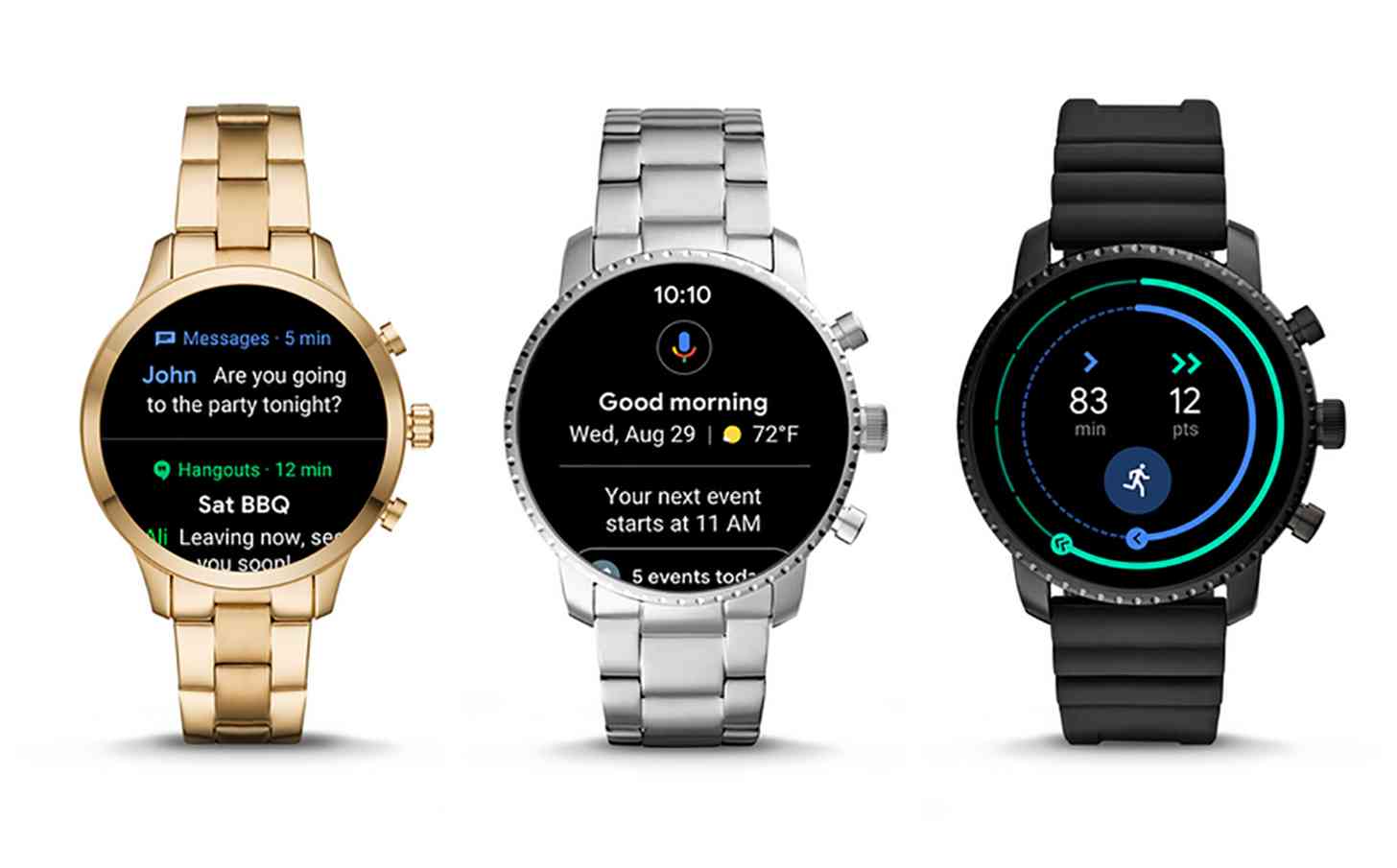
Wear OS 2.1 update smartwatches

Remember that Wear OS update that we told you about last month? Well, it looks like it's now rolling out. 

Wear OS 2.1 is now rolling out to compatible smartwatches. To check if there's an update available for your watch, go into Settings > System > About > System updates on your smartwatch.

This update brings with it a big change on how you'll navigate your Wear OS smartwatch. You can now swipe in four directions to quickly access different parts of your watch. For example, swiping up from the watch face will let you jump to your notifications, and swiping down will get you to your Quick Settings where you'll find toggles for things like Airplane Mode, Google Pay, and Do Not Disturb.

Swipe right on the watch face and you'll find Google Assistant, which displays info to help you get ready for your day. This includes the date, temperature, upcoming meetings, and even if there's a delay on your commute. Finally, swiping left will get you to Google Fit, where you'll find your Heart Points and Move Minutes and also be able to quickly start a new workout.

Wear OS 2.1 sounds like a nice update that should make using your smartwatch a better experience. If you've got a Wear OS watch on your wrist, go check to see if the update is available for you!


from PhoneDog.com - Latest videos, reviews, articles, news and posts https://ift.tt/2zCCFgI
via IFTTT

Razer Phone 2 appears in leaked image

Razer logo

With less than two weeks to go before Razer's official Razer Phone 2 reveal, the device has leaked out in a clear image.

The Razer Phone 2 looks largely similar to the original Razer Phone, with squared off corners and front-facing speakers. There's a logo on the back of the Razer Phone 2 that lights up, says Evan Blass, and we can see what looks like a USB-C port on the bottom of the phone.

The one big change with the Razer Phone 2, at least when it comes to design, is that the dual rear camera setup has been moved to a spot directly above the Razer logo.

Razer is hosting an event for the Razer Phone 2 on October 10th. There haven't been any concrete spec leaks for the device quite yet, but considering that the original model is a high-end gaming phone, we'll likely get something similar with the Razer Phone 2. Expect features like a Snapdragon 845 and the return of the 128Hz display.


from PhoneDog.com - Latest videos, reviews, articles, news and posts https://ift.tt/2InHxsR
via IFTTT

BenQ EX3203R

Multiple hot new features and innovations have been rocking the PC monitor market recently. For BenQ’s latest large format and gaming-centric model, therefore, standing out isn’t going to be easy. It’s tough out there.

Luckily, the new BenQ EX3203R offers an intriguing mix of features and capabilities. Highlights include 144Hz refresh, a curved panel, USB-C connectivity and adaptive sync support, all wrapped up in a 32-inch package. 

The kicker, arguably, is VESA DisplayHDR 400 certification. That’s a pretty compelling core proposition and will tick a lot of gamer’s boxes.Those looking for a more general purpose display might like the look of that feature set, too.

However, at this relatively competitive price point - and arguably at almost any current price point - you can’t quite have everything. Notably, the EX3203R is what you might call a 2.5K rather than 4K or UHD monitor. 

It also lacks support for Nvidia’s particular take on adaptive syncing and, if you’re a fan of super-wide aspect ratios, you’re not going to find satisfaction here. On the other hand, the sub-4K resolution can make for a better fit for gaming in terms of enabling faster frame rates with any given graphics card.

Price and availability

Priced at £499 in the UK, $699 Stateside and $799 in Australia, the BenQ EX3203R is fairly aggressively positioned, if a little more expensive in the US than other territories. 

Directly comparable models, such as AOC’s AG322QCX and the Asus ROG Strix XG32VQ are priced similarly but notably lack HDR support. On paper, then, the BenQ has a clear edge.

Design

The 31.5 inches of panel in a 16:9 format makes for a pretty big, bold physical presence. Aesthetically, the EX3203R is relatively restrained by gaming peripheral standards. But with slim bezels around three sides of the LCD panel and a sleek silver stand, it’s a classy affair and feels fairly expensive.

That panel, incidentally, is VA rather than IPS. That helps with contrast and color saturation, but can be somewhat problematic when it comes to viewing angles and pixel response. 

That said, BenQ has equipped this monitor with 144Hz refresh capability and claims 4ms response capability, so in theory it’s quick. It also supports the new second generation of AMD’s FreeSync adaptive refresh technology. That adds support for HDR and wider color gamuts to the FreeSync feature set.

Connectivity-wise, a pair of HDMI 2.0 ports plus DisplayPort should ensure most of your bases are covered. Even better is the inclusion of USB-C connectivity, enabling single-cable connectivity for everything from the image signal to peripherals and even charging for laptops. It’s a desirable port to have in terms of future-proofing, too.

HDR support

Which brings us to the EX3203R’s most intriguing engineering element, that VESA DisplayHDR 400 certification. HDR is quickly becoming a fairly bewildering technology, replete with numerous standards. 

But is the DisplayHDR 400 standard really true HDR? It requires, for instance, a brightness of 400cd/m2 where many would argue that the full impact of HDR only arrives at higher peak brightnesses around 1,000cd/m2.

What’s not debatable is that DisplayHDR 400 is the very bottom rung of the VESA HDR ladder and the least demanding option for any given monitor manufacturer. Not only does DisplayHDR 400 have modest brightness requirements, it also doesn’t dictate local dimming and makes less stringent demands in terms of color reproduction. BenQ says the EX3203R is good for 90% coverage of the DCI-P3 profile. Fair to say, then, that DisplayHDR 400 is HDR lite.

Performance

Expectations suitably managed, how does the BenQ EX3203R actually perform? Immediate impressions certainly tally with the underlying VA panel technology on offer. Colours are punchy and vibrant, whites are bright and clean, while blacks are deep and inky. The EX3203R’s panel is rated at 3,000:1 for static contrast capability and it looks every bit as good as that. The panel’s gentle curve also makes for a nicely immersive experience.

What the EX3203R doesn’t obviously look like - and perhaps shouldn’t be a surprise given the realistic limitations of the DisplayHDR 400 standard - is a true next-gen HDR display. With the full HDR stack enabled, HDR content does look pretty stellar. But the EX3203R can’t compete with brighter ‘full’ HDR displays with local dimming when it comes to blowing your socks off with highlighted details popping out of dark scenes.

It’s also worth noting that HDR remains a problematical technology in terms of everything from ensuring it’s enabled both on the display and in Windows 10 and having content, be that games or video, that is HDR enabled. Enabling HDR globally in Windows, for instance, makes for a rather dull look for desktop elements. HDR, in short, remains complicated and the supporting content relatively scarce.

As a general purpose monitor, the EX3203R’s most obvious shortcoming is its relatively modest 2,560 by 1,440 native resolution. That makes for fairly big, coarse pixels when spread across a 32-inch panel. A high-DPI display this most certainly is not.

That said, as a gaming device the lower resolution makes for pretty pleasing results. The VA panel prevents it from being at the cutting edge in terms of response. But inverse ghosting is not a major issue here and the benefits of that 144Hz refresh in terms of in-game smoothness are absolutely undeniable, even if you’ll need a powerful and pricey graphics card to make the most of it despite the restrained 2.5K native resolution.

Verdict

On paper, the EX3203R makes a powerful case for itself by adding HDR certification without an obvious price premium. In practice, it’s not a true HDR display. But that doesn’t mean it’s not a good monitor.

Gamers looking for a big, bold and beautiful display with high refresh rates and adaptive sync support should give the EX3203R serious consideration, albeit in the knowledge that this isn’t the most responsive monitor on the market.

That you get a little bit, though not full, HDR goodness thrown in just sweetens the deal. For those looking for a more productivity orientated monitor, there are better deals elsewhere.


from TechRadar: Technology reviews https://ift.tt/2zBV0uo

McAfee Ransomware Interceptor

Silent, deadly and constantly evolving, ransomware is never far from the headlines. You might expect McAfee to want to boast about its free McAfee Ransomware Interceptor, then, but instead it's buried deep in the security company's website.

One reason could be that the Interceptor is still listed as a 'pilot', more of an experimental anti-ransomware tool than a full-strength product. There doesn't seem to be much experimenting going on, either, as the last update at the time of writing was May 18, 2017.

The official Interceptor FAQ page points out another problem: Interceptor isn't covered by McAfee's technical support. If you have any issues, you could be on your own.

This doesn't necessarily mean Interceptor has no value. The website explains that it "leverages heuristics and machine learning" to identify threats, rather than using simple signatures, which could allow the program to block even brand new and undiscovered threats.

A second advantage is this kind of behavior monitoring approach doesn't normally conflict with other antivirus tools, allowing you to run Interceptor alongside almost anything to add an extra layer of ransomware protection. Perhaps it's a little out-of-date, and maybe Interceptor only detects a few extra threats, but the program is unlikely to cause any trouble and could make you a little safer overall.

That's the best case scenario, anyway, but does Interceptor really have what it takes to identify ransomware from its behavior alone? We would have to download and install the program to find out more.

McAfee Ransomware Interceptor

Setup

McAfee Ransomware Interceptor is free for anyone to use, with no registration or other hassles required. Visit the website, choose the 32 or 64-bit version, read the license and you can download the program with a click.

The installer is a very compact 3.3MB, which is probably why the setup process appeared very simple, with absolutely no settings or options to consider. We were briefly concerned when a command window appeared and the installation seemed to pause, with nothing at all happening for more than a minute. But then the window disappeared, the installer advised us to reboot our test system, and closed normally.

Despite the tiny setup program, Ransomware Interceptor had taken up a fair chunk of disk space. Most of this was the 310MB occupied by McAfee's core management framework, though; the main program files took barely 17MB.

The package was much lighter in terms of RAM use, with its three background processes taking barely 11MB between them under normal circumstances, and no significant CPU time. This probably isn't going to be a product which slows you down.

Malware will sometimes try to detect and disable security tools by closing processes, deleting files or Registry keys. This can be surprisingly easy – we've seen some antivirus packages which can be killed from a batch file – and so we always check how well security software can protect its own code.

The results didn't impress, at least initially, when we discovered an attacker with Admin privileges could delete most of McAfee's management framework.

Of course, to be fair, if malicious code is running on your system with admin rights, then you're already in big trouble. And although we managed to cause some damage, McAfee's SystemCore support files remained available, and Interceptor continued to run as normal.

There's little sign of Interceptor's activities, as the program has no real interface beyond a single system tray icon, which contains just three management tools. We could toggle protection on and off, whitelist a trusted program to prevent it being blocked in future, or view a detection log to see what Interceptor had done.

You don't get any significant control of how the package works, then, as is the case with some of the competition. Whitelisting programs or turning Interceptor off are your only options.

Despite its extremely basic interface, we also noticed a minor deficiency. Right now, Interceptor displays the same system tray icon whether it's active or not, and the only way you can see its status is to right click the icon and check its menu. We would prefer to see the icon change – to perhaps green for active, red for inactive – allowing you to see Interceptor's status at a glance.

McAfee Ransomware Interceptor

Performance

Testing behavior-based anti-ransomware software is always difficult. Their value is in the claim that they can detect malware which doesn't exist yet, but that's hard to assess unless you have wide access to the very latest threats.

We started with a simpler approach, testing Interceptor against Cerber, a known ransomware strain. The results were excellent, with Interceptor blocking the Cerber process before it could encrypt a single file, and displaying an alert. That's no surprise – we would expect McAfee to have designed Interceptor to look for threats like Cerber – but it does show the program is offering some useful protection.

Next, we turned to RanSim, KnowBe4's free ransomware simulator. This runs various tests using different types of ransomware-like behavior, and tells you which have been blocked.

The last time we looked at Interceptor, it failed to detect any of RanSim's 14 attack scenarios. This test showed some improvement, with two attacks being blocked, but we were still vulnerable to the other 12 scenarios. This isn't as alarming as it sounds – all scenarios aren't equal, and it's entirely possible that Interceptor's two detections would be enough to block most real-world ransomware – but we've seen other security tools score higher.

McAfee Ransomware Interceptor

Finally, we turned to a very simple ransomware simulator of our own. It's far more basic than RanSim, with just a single mode of attack, spidering through a test set of folders, detecting and encrypting many common document types. But as it has never been released, we know it's something the McAfee Ransomware Interceptor developers won't have seen before, making it an interesting test of Interceptor's behavior monitoring and heuristics.

Unfortunately, it was a test which Interceptor comprehensively failed. Our simulator was allowed to run to completion, and successfully encrypted every user document and file in our test tree.

We need to interpret these results with care. RanSim may use ransomware-like actions, but it only worked on its own sample files, leaving ours untouched. Interceptor arguably made the right decision by allowing it to run.

We think RanTest is probably the more significant failure, as it was able to encrypt thousands of real files on our test system. It's not real ransomware and only spidered through a single test tree, so it's possible the program didn't meet Interceptor's threshold for detection.

But other antivirus and anti-ransomware tools generally block our simulator right away, with for example Kaspersky Antivirus 2019 not only spotting the threat and killing the process, but also recovering the handful of files it had managed to encrypt before being stopped.

Interceptor still deserves major credit for blocking real-world ransomware, and that is the test which matters most. The program largely failed with our simulated threats, but it may still improve your security, and do so without causing conflicts with other security apps.

Final verdict

Ransomware Interceptor is simple, ultra-lightweight and blocks real-world ransomware without difficulty. It's not as effective with simulated threats as the top antivirus engines, but could still be worth installing as a second layer of security.


from TechRadar: Technology reviews https://ift.tt/2xwzSVz
Back to top ↑
Connect with Us

What they says

© 2013 techmobile. WP Mythemeshop Converted by Bloggertheme9
Blogger templates. Proudly Powered by Blogger.